Privia Security was chosen as one of Türkiye's fastest growing companies!

Privia Security was chosen as one of Türkiye's fastest growing companies!

This article describes the solution steps for the retired machine named “ICECREAM” on the PriviaHub platform. First, a scan was initiated to identify the open ports on the machine, the current services running on those open ports, and the operating system. The scan was performed using the NMAP tool by running the command nmap -A <<IP_Address>> -Pn -v. The -A parameter performs SYN scanning, current service version scanning, operating system scanning, and traceroute scanning. The -Pn parameter is used to scan machines that are closed to PING requests, which nmap performs by default. The reason for this is that the machines on the PriviaHub platform are modelled after real corporate networks.
Many machines on the PriviaHub platform are closed to PING. The -v parameter is used to provide detailed information. The scan results revealed that port 80 is open, the “Apache 2.4.39” service is running on this port, and the operating system is “Windows Server 2012″.

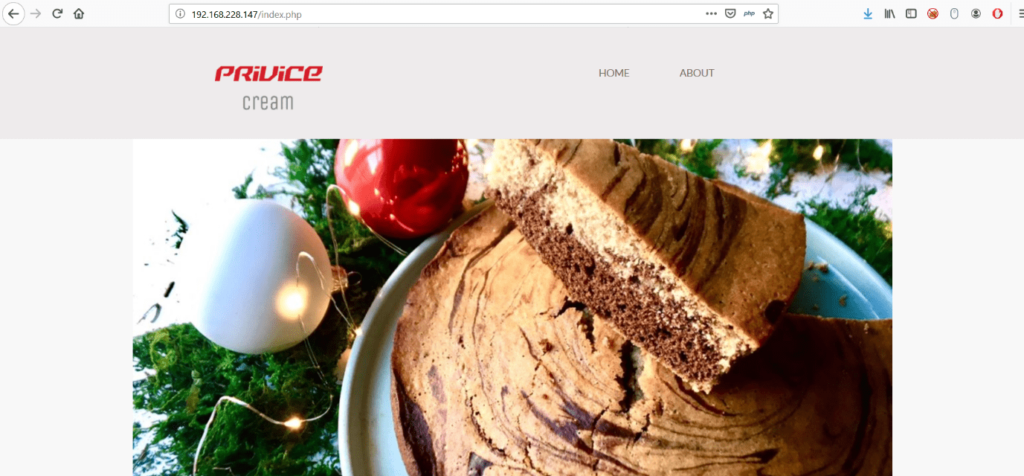
Access was provided to the web application running on the Apache service via port 80 using a web browser.
When the “ABOUT” page was accessed from the home page, it was found that the path to the page’s corresponding content was assigned to a parameter named “file”.
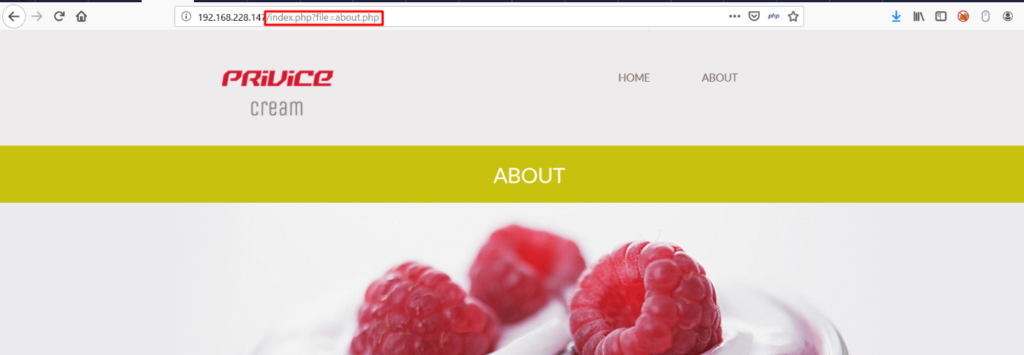
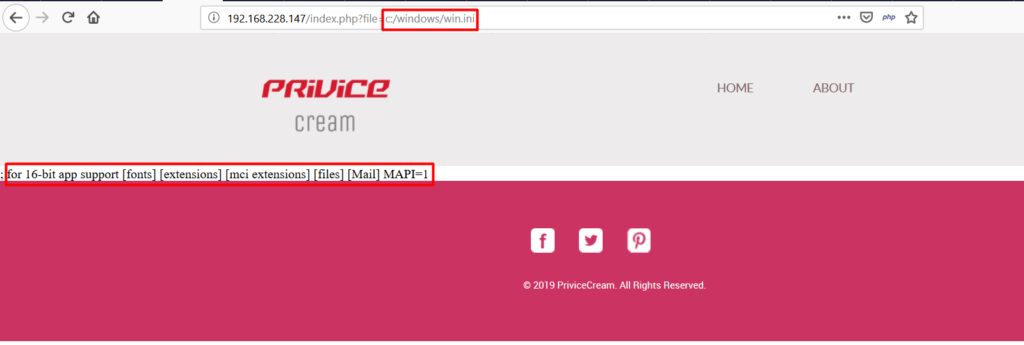
This assignment makes use of PHP’s include() function, meaning that the contents of any local file assigned to the “file” parameter are included in the content of the “index.php” page. This situation introduces an LFI (Local File Inclusion) vulnerability. As a test, the path “C:\Windows\win.ini” was specified and the contents of the win.ini file were successfully displayed.
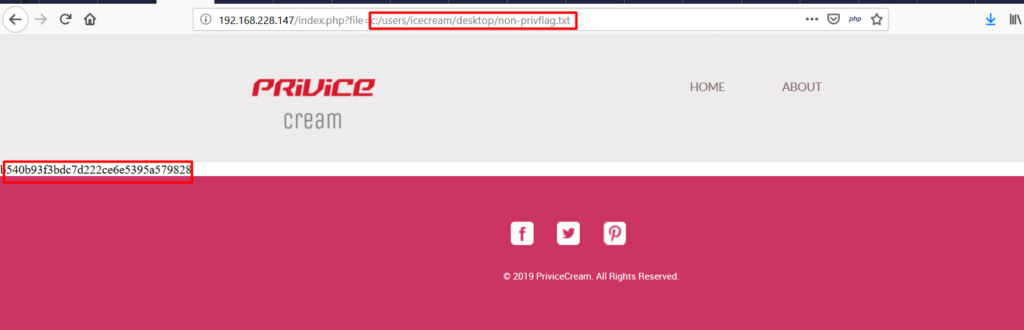
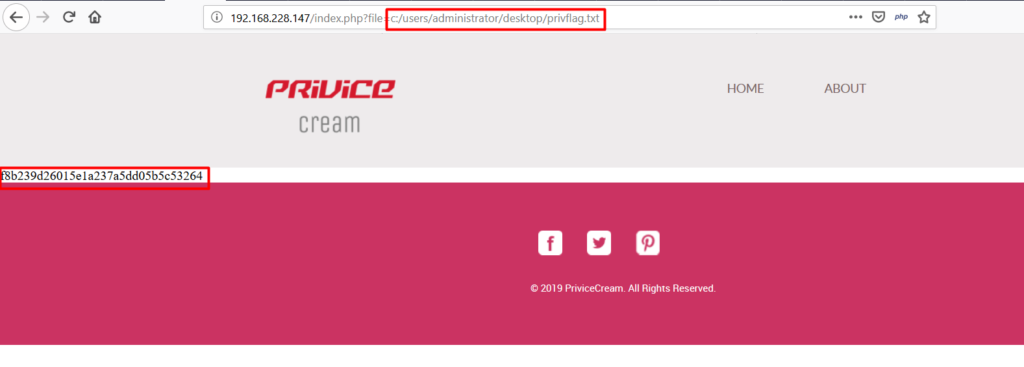
The LFI vulnerability was then exploited by assigning the directory paths containing the flags to the “file” parameter, and the flags were displayed on the index.php page.
You May Be Interested In These