
Privia Security was chosen as one of Türkiye's fastest growing companies!

Privia Security was chosen as one of Türkiye's fastest growing companies!
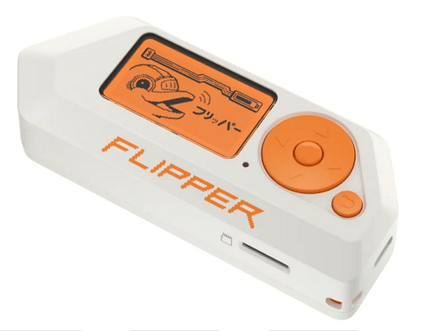
Flipper Zero is a hacking device used in penetration testing, bug bounty programs, and especially in the red team operations of offensive security professionals.
Its multi-functional capabilities and easily portable, concealable form factor allow users to conduct reconnaissance on the go. The device is designed to operate like a remote control for analyzing and controlling electronic devices — enabling users to discover how those devices work and manipulate them.
It was developed specifically for cybersecurity professionals and technology enthusiasts who want to understand and work with wireless communication technologies. Historically, this open-source device was developed in 2019 by Alex Kulagin and Pavel Zhovner. In 2020, it reached its funding goal through a Kickstarter campaign, attracting significant community interest. The Flipper Zero project is open-source under the General Public License (GPL) with respect to electronic schematics and firmware. However, since the circuit boards are not open-source, the device does not fall into the open-source hardware category — meaning individuals cannot build their own copies without electrical engineering expertise.
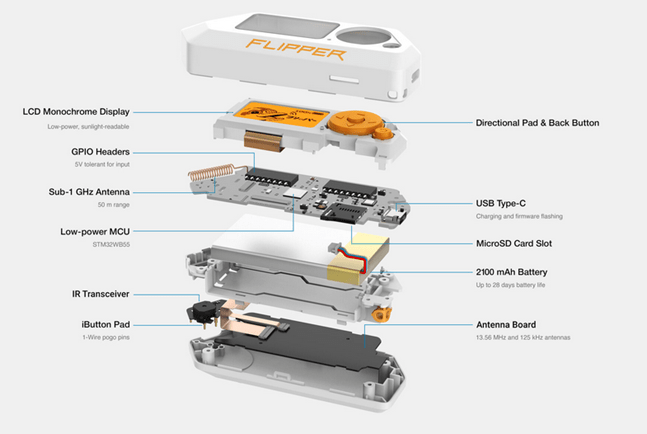
The top of the Flipper Zero features a control panel that makes it easy for users to perform operations. Inside the device, each present in a single unit: GPIO headers, a microcontroller, a USB port, a battery, a Sub-1 GHz antenna that enables module functions, a microSD card slot, an iButton connector, and an infrared transceiver. The functions of these hardware components are described in detail throughout this article.
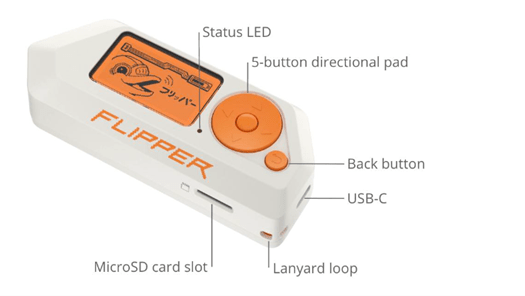
No computer or smartphone is required to operate the device — it is fully autonomous and can be controlled via a 5-button directional pad and a separate back button. The device’s user-friendly screen and keypad simplify operations and make using the Flipper Zero even more practical.
Certain operations, such as firmware or user data updates, require connecting to a computer or smartphone with the developer software installed.
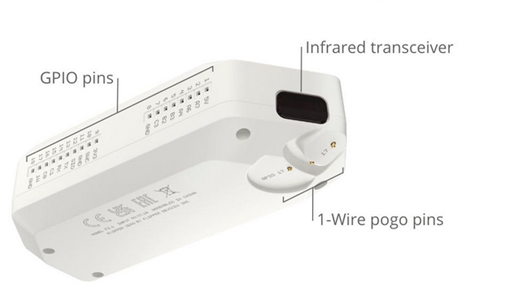
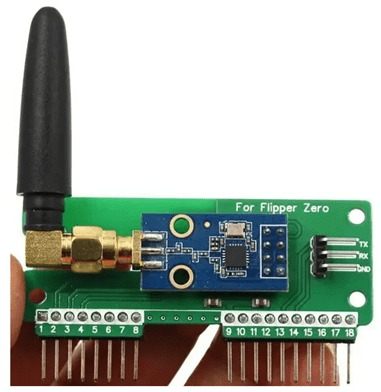
The Sub-1 GHz antenna in the Flipper Zero is a component that enables the device to support low-frequency wireless communication protocols.
A more detailed description of this component and its use cases is provided in section “3. What Are the Flipper Zero Modules?”
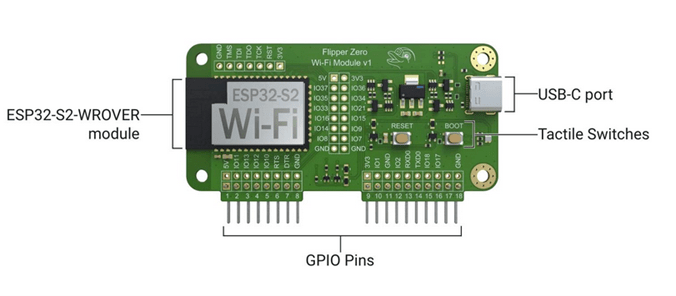
The Wi-Fi-enabled developer board adds debugging and firmware update capabilities to the Flipper Zero. The debugging feature is based on the GNU Debugger (GDB), which allows developers to examine and modify the internal state of a running program on a target, and to identify code execution steps.
Features:
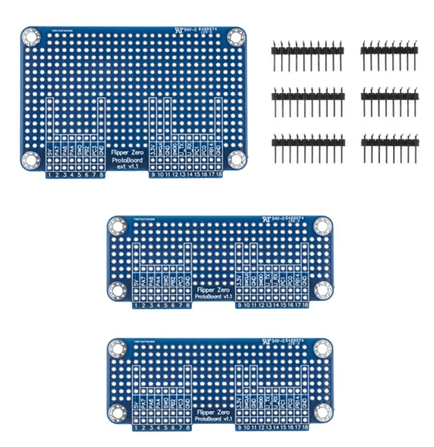
Prototyping boards typically contain various connection ports and pins attached to a microcontroller or other control unit. They provide developers with a platform for prototyping and testing electronic circuits.
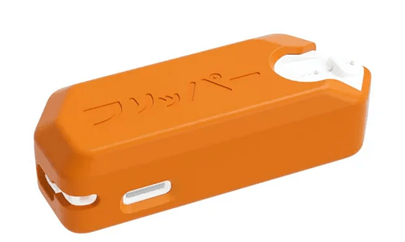
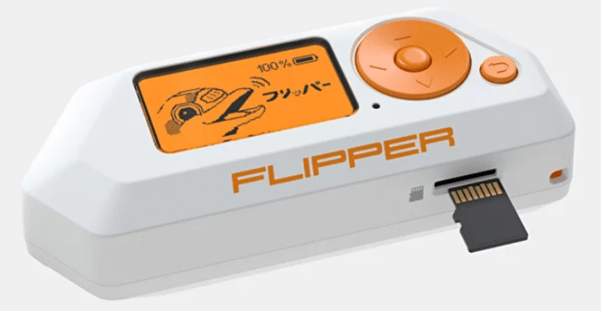
User data and firmware updates are stored on a microSD card. Flipper Zero supports microSD cards up to 256 GB, although a 4 GB microSD card is sufficient to store all necessary data.
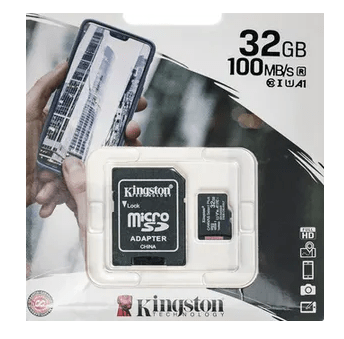
Flipper Zero is designed to interact with various access control systems, radio protocols, RFID, near-field communication (NFC), and infrared signals. The presence of several different antenna systems within the device helps it capture, record, clone, and emulate wireless signals — and even interact with various signal types.
The Flipper Zero device has a built-in module capable of reading, storing, and emulating remote controls. It features a built-in 433 MHz antenna, making it a reliable transceiver with a range of up to 50 meters.
Thanks to this feature, the device can detect, capture, and transmit signals to operate a wide range of wireless devices and access control systems, including wireless antennas, barriers, IoT sensors, doorbells, garage door remotes, smart light bulbs, power outlets, and remote keyless entry systems.
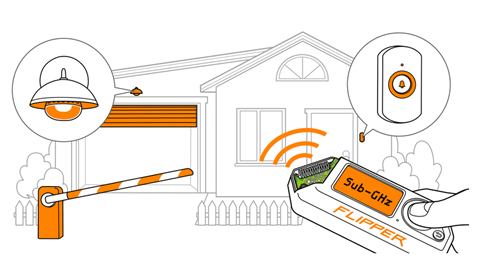
Users can expand Flipper Zero’s capabilities by installing additional applications to read data from various devices.
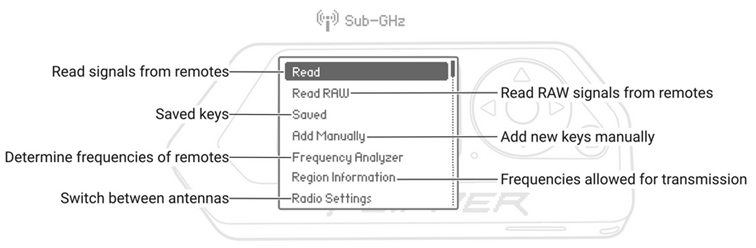
Frequency bands (region-dependent):
The CC1101 is a universal transceiver designed for very low-power wireless applications. It supports digital modulation types such as 2-FSK, 4-FSK, MSK, and GFSK.
The chip enables digital communication with wireless applications, allowing the device to connect to IoT devices, access control systems, and other digital communication use cases. It also enables communication with other Flipper devices.
Flipper Zero supports low-frequency (LF) radio frequency identification (RFID) technology and can be used in supply chain tracking systems, animal microchips, and access control systems. A 125 kHz antenna is located at the bottom of the Flipper Zero.
LF RFID cards generally do not offer the same level of security as NFC cards.
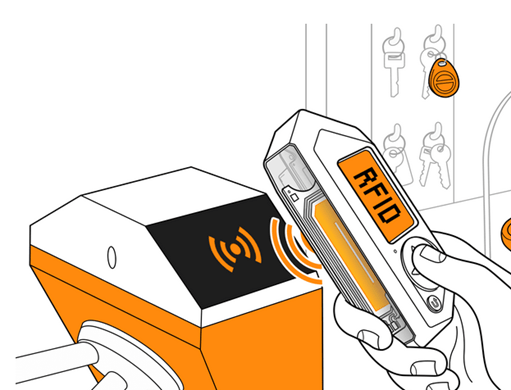
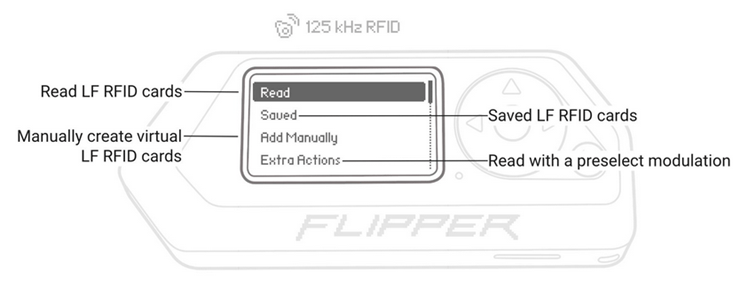
Thanks to this feature, the device can read low-frequency RFID cards (EM-4100 and HID Prox) and save them to memory for later emulation. This allows cards to be cloned and card IDs to be changed remotely.
Flipper Zero has a built-in NFC module (13.56 MHz) used in public transport smart cards, building access cards, and digital business cards. Combined with the 125 kHz RFID module, the NFC module transforms the Flipper Zero into a superior RFID device that operates in both low and high frequency ranges.
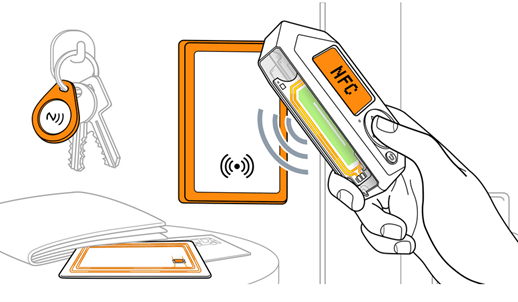
This feature allows the device to interact with NFC-enabled devices, and to read, write, and emulate HF tags.
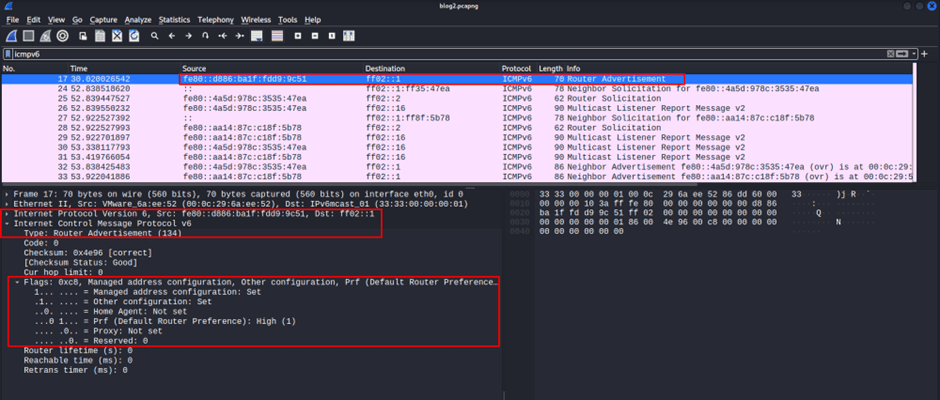
Flipper Zero offers the ability to analyze wireless communication protocols — useful for examining and understanding wireless networks such as Bluetooth and Wi-Fi. It allows the Flipper Zero to act as a peripheral device, enabling you to connect it to third-party devices and smartphones.
The device can copy IR remote controls. This feature transmits signals that allow you to control electronics such as air conditioners, stereo systems, TVs, and more.
Flipper includes a built-in command library for popular TV brands, allowing you to control volume and power.
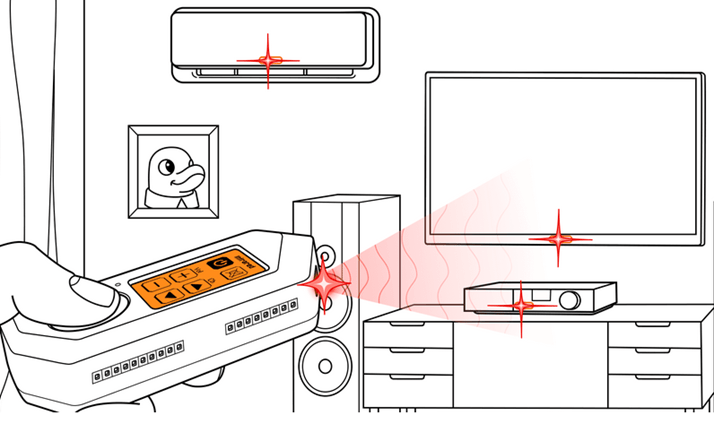
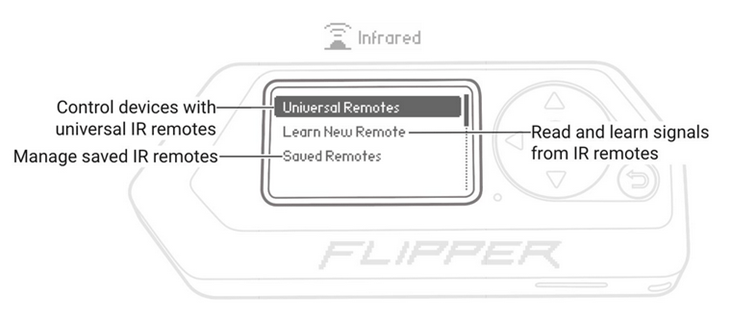
Flipper’s infrared module includes an IR receiver that captures signals and saves them to the library. As a result, existing remote controls can be stored for command transmission before being uploaded to the public infrared remote database for access by other Flipper Zero users.
Flipper stores data-intensive content including remotely executed code, signal databases, keys, cards, and more. Both the SD card and user plugins can store data externally. A push-pull type connector in the SD slot securely holds the card in place and prevents it from falling out.
Supported file systems:
Flipper Zero connects to other hardware tools via GPIO; it can then control the connected tool with buttons, run code, or write a debug message to the screen interface.
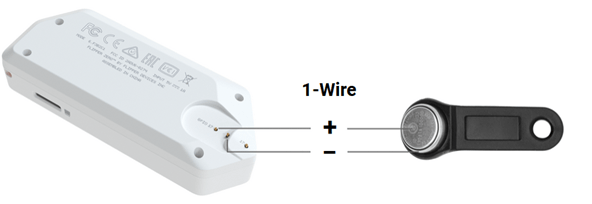
Flipper has a built-in 1-Wire connector that reads iButton (touch memory) communication keys. These keys are used for access control, temperature measurements, humidity measurements, and storing cryptographic keys.
This legacy technology uses 1-Wire without authentication. The Flipper Zero can read keys, write an ID to any blank key, and store them in memory. It can even emulate a key.
BadUSB devices have the ability to modify system settings, unlock backdoors, recover data, launch reverse shells, and perform other physically-accessible actions. Flipper Zero functions as a BadUSB device and is recognized by computers as a keyboard-like Human Interface Device (HID). Commands are provided in the scripting language used by Rubber Ducky.
Before using the Flipper Zero device as a BadUSB device, a payload must be written in .txt format using the scripting language in any common ASCII text editor. Flipper Zero can execute extended Rubber Ducky script syntax. The BadUSB application can only run scripts in .txt format.
Modifier keys:
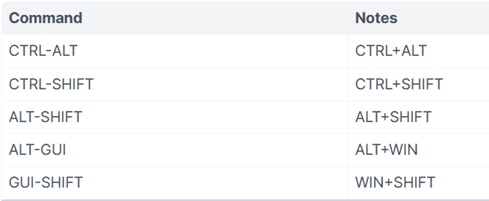
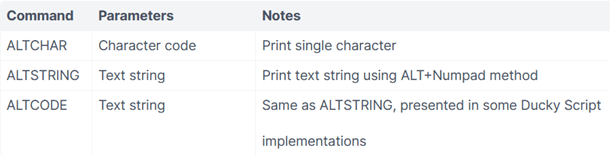
Additional commands and features provided via ALT+Numpad input method:
The Magic SysRq Key method can be applied on Linux by using Magic SysRq Key to run commands:

Follow these steps:
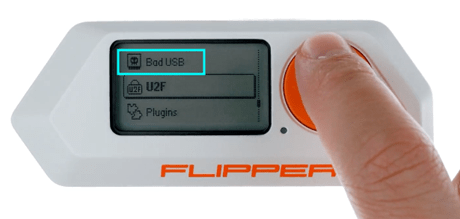
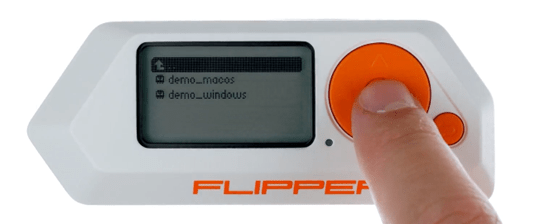
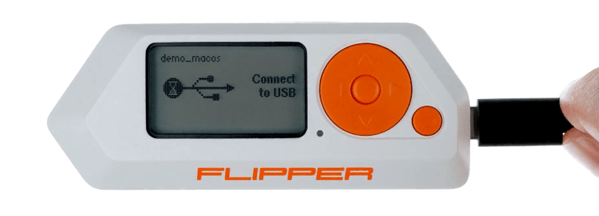
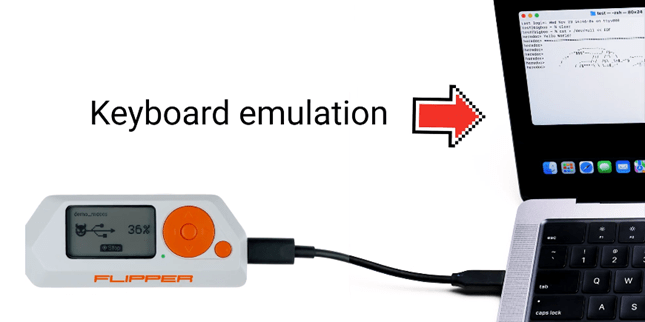
Flipper Zero can act as a USB Universal 2nd Factor (U2F) authentication token or security key that can be used as a second authentication factor when logging into web accounts.
To add the device to your account as a security key:
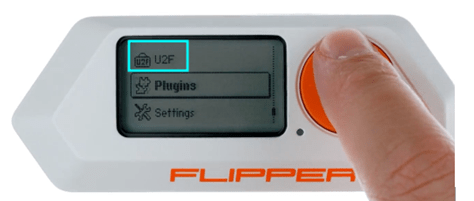
In addition, the Flipper Zero has cryptanalysis capabilities that allow you to perform encryption and cryptanalysis tasks — useful for identifying security vulnerabilities and analyzing encrypted communications.
Flipper Zero connects to different devices and enables versatile interactions.
The Flipper Zero mobile app, available for both iOS and Android, allows you to remotely update and control your Flipper Zero, manage and organize data, share saved keys, play audio on the Flipper Zero, and more.
Steps to connect:
Once connected, you can view detailed information about your hardware through the mobile app, control the device remotely, and perform firmware updates.
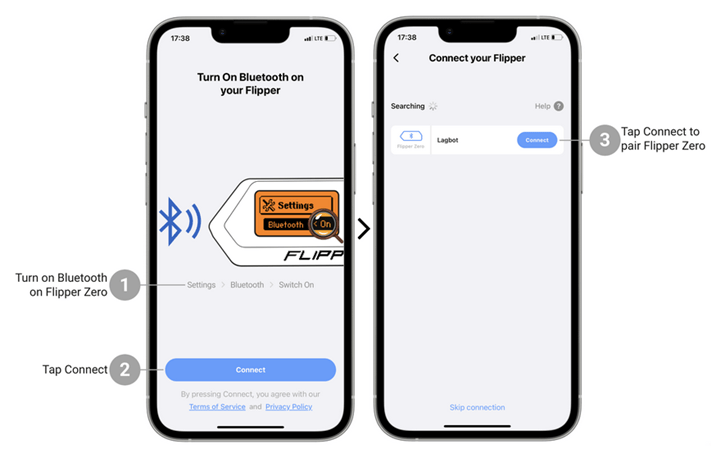
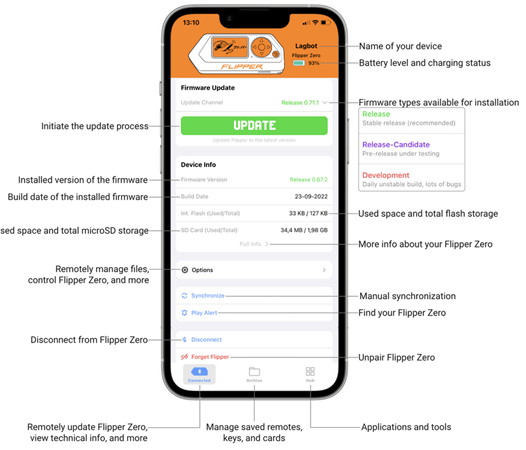
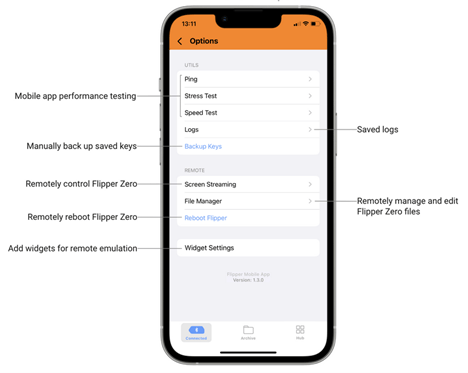
The images below provide an overview of the Flipper Zero mobile app. From the main menu, you can perform Bluetooth updates, view device information and additional options, and carry out various operations on the device.
(Screenshots are from an iOS device)
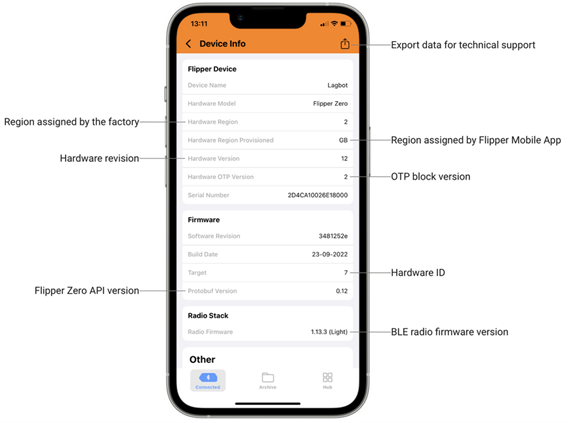
The Device Info section provides detailed information about the Flipper Zero’s hardware and software.
Under “Options,” you can find the backup function, saved logs, remote control, file manager, restart function, and bug report function — depending on your operating system.
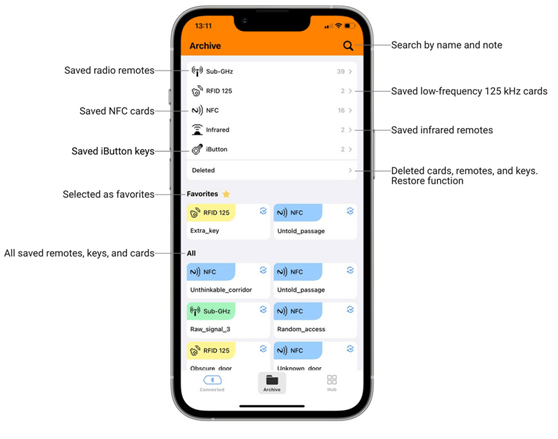
The “Archive” section lists all saved remote controls, keys, and cards. In this tab, you can view favorites, search the list, and restore deleted remotes, keys, and cards. This menu also includes Sub-GHz, RFID 125, NFC, and Infrared features.
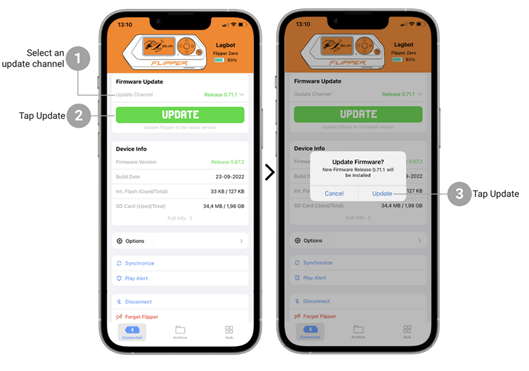
Flipper Zero can be updated via its mobile app. Follow these steps in order. The process takes approximately 2–3 minutes.
qFlipper is a desktop application used to update the Flipper Zero firmware and databases, manage files on the microSD card, and repair corrupted firmware. The qFlipper application is available for Windows, macOS, and Linux.
Follow these steps to download the qFlipper application:
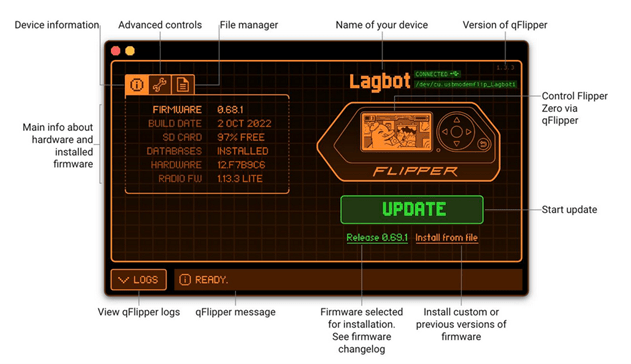
You can also remotely control your Flipper Zero via the qFlipper application by doing the following:
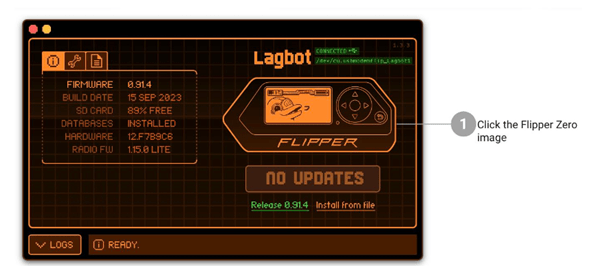
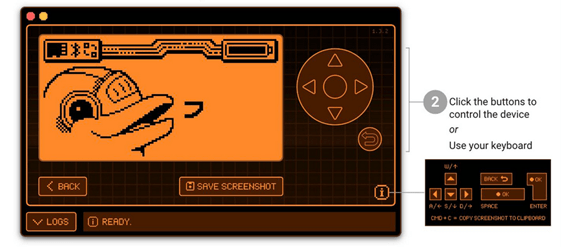
You can capture screenshots from your Flipper Zero device and save them directly to your computer by clicking the “SAVE SCREENSHOT” button.
Flipper Zero’s ability to interact with a wide variety of digital systems, combined with its open-source and customizable nature, makes it a powerful tool for finding security vulnerabilities. Along with its built-in modules, the device is used across many different fields.
Key use cases with Flipper Zero:
Radio Protocol Hacking: Flipper Zero excels at analyzing and manipulating radio protocols, enabling users to identify vulnerabilities in wireless communication systems. Whether examining weaknesses in RFID, Bluetooth, or other radio frequency-based technologies, the device provides a hands-on approach to studying these protocols, potentially uncovering security vulnerabilities.
Disabling Control Systems: Flipper Zero can interact with access control systems, allowing users to examine security mechanisms. This includes researching RFID and NFC systems, emulating key cards, and assessing the resilience of access control infrastructure. Identifying and exploiting weaknesses in these systems is essential for evaluating their susceptibility to unauthorized access.
Interacting with RFID Tags and Cards: Together with NFC, Flipper Zero can interact with RFID and even read hotel key cards. Some RFID cards and tags can be locked to prevent writing, but Flipper Zero has the capability to bypass certain locking mechanisms.
Interacting with NFC Technology: NFC is widely used in today’s technology-aware world, and Flipper Zero provides the means to interact with this wireless protocol. It can read NFC cards but is not capable of decrypting the card’s encrypted security code (known by various three-letter abbreviations such as CSC, CVV, CVC, CAV). Flipper Zero can read credit cards — when a card is scanned with Flipper, it can read the card number and sometimes the expiration date, but cannot transmit card details or read the CVC number, making it unable to make purchases or drain someone’s account.
Measuring Your Pet’s Temperature: If a microchip has been implanted in your pet, Flipper can read your pet’s ID number, and if it is a thermal chip, it can measure its temperature.
Customizable Exploits: With its open-source nature and supported programming languages, it grants users the authority to write their own hacking applications, create and deploy custom payloads tailored to specific systems. This flexibility allows penetration testers to adapt the device to unique scenarios, discovering and exploiting vulnerabilities that traditional tools may not cover. This feature of the Flipper Zero device is frequently used by red team members in real-world scenarios with successful results.
Digital Forensics: Flipper Zero’s capabilities extend beyond just finding vulnerabilities — it can also be used for digital forensics. By analyzing and interacting with digital devices and systems, it helps identify traces of malicious activity, potential entry points, and areas vulnerable to exploitation.
Examples of what you can do after pairing your phone with Flipper Zero:
Remote Control Emulation: Flipper Zero is equipped with an infrared module that can be programmed to operate a wide range of devices such as TVs and air conditioners. Flipper Zero can be used as a replacement for an infrared remote control, allowing stereo systems, TVs, air conditioners, and more to all be controlled from the same device.
Wireless Data Transfer: Using the mobile app as your communication interface to receive and send data to the Flipper Zero, enabling data exchange between two devices.
USB Connection: Using its USB 2.0 (Type-C) port, Flipper can connect to other devices. The connection enhances power supply and data transfer by using Flipper as a USB to I2C/SPI/UART converter.
Examples of what can be done using Flipper Zero’s USB connection:
USB Sensor and Analyzer: A project involving the creation of a tool that analyzes USB communication between Flipper Zero and other devices. The tool captures and analyzes USB traffic, monitors data exchange, and identifies issues such as data corruption, communication errors, and device compatibility problems.
Secure Socket Layer (SSL) or Transport Layer Security (TLS) Protocols: SSL and TLS help encrypt the Flipper Zero by providing a secure communication channel between Flipper and any server it connects to. These protocols ensure that only encrypted data is transmitted between two parties, making it difficult for anyone to intercept or access the information. TLS and SSL combine asymmetric and symmetric encryption algorithms to achieve this level of security.
As powerful as Flipper Zero is, it is crucial to consider safety precautions before modifying it.
Flipper Zero can interact with devices such as NFC bank cards, cat microchips, and garage door openers. It is important to ensure that none of these devices operate in a way that could accidentally damage the Flipper Zero if disrupted.
The hardware should be handled with care. When making modifications to the hardware, always ensure the device is disconnected from its power source.
Hacker devices like Flipper Zero can potentially be used in illegal activities, and their use is therefore subject to the laws and regulations of each country. The manufacturers of Flipper Zero state that the device is legal but has the capacity for illegal use. In particular, they explicitly advise against using it to interfere with systems without authorized access, clone cards, or engage in similar illegal activities.
In September 2022, Flipper Zero announced via social media that a shipment of Flipper Zero devices had been seized by US Customs and Border Protection. Despite this incident, it is important to understand that the device itself is legal, but has the capacity to be used illegally.
Flipper Zero exists within a complex legal framework that balances its innovative capabilities with the need for responsible and lawful use. Understanding what Flipper Zero is and how it should be used can help users explore its exciting potential while staying within legal boundaries. Therefore, before using Flipper Zero or similar hacker devices, it is important for users to understand the legal limitations and avoid using these devices for illegal or unethical purposes.
Author: Barış Baydur
You May Be Interested In These