Privia Security was chosen as one of Türkiye's fastest growing companies!

Privia Security was chosen as one of Türkiye's fastest growing companies!
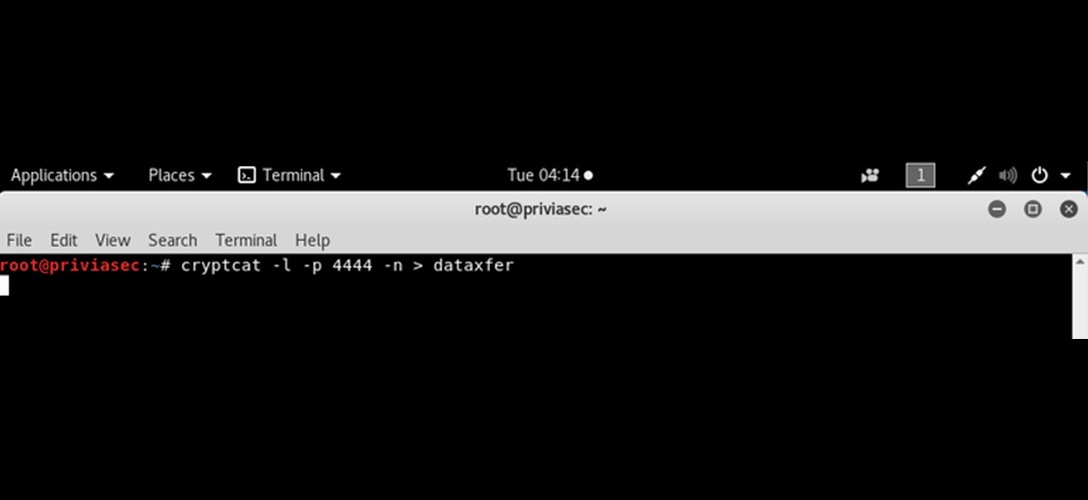


Crypcat is a utility command-line tool developed for Unix and Linux-based operating systems, designed to provide secure data transmission over a network. At its core, it can be thought of as an encryption-enhanced version of the popular network tool netcat (nc).
Crypcat’s primary purpose is to ensure confidentiality, integrity, and security by encrypting data communications carried out over TCP or UDP protocols end-to-end. The tool provides a practical solution for secure communication needs, particularly in network environments that are unsecured or at risk of eavesdropping.
The tool encrypts transmitted data using strong cryptographic algorithms. As a result, third parties monitoring network traffic or capturing packets cannot read the content of the data being transferred. Traditional netcat usage results in data being transmitted as plain text, which carries serious security risks. Crypcat eliminates this vulnerability by delivering the same ease of use in a far more secure manner. These features make Crypcat a valuable tool for both defensive security work and controlled penetration testing.
One of the tool’s most significant advantages is that it can be used as a “back-end” tool. Crypcat can be easily invoked and integrated by scripts, automation tools, and other command-line applications. System administrators can quickly and flexibly carry out tasks such as secure file transfers, remote command execution, and temporary service access. Crypcat’s simplicity of use enables secure communication to be established without the need for complex configurations.
Crypcat plays an important role in network management and debugging processes. System administrators can test service accessibility by establishing an encrypted connection on a specific port, verify that network traffic is being routed correctly, or observe the effect of firewall rules. Having encrypted data during such tests maintains the security of the test environment while also producing results closer to real-world scenarios.
Within cybersecurity, the tool can also be used in discovery and analysis work. It is particularly favoured for creating secure communication channels during security tests conducted in controlled environments. In red team and blue team exercises, the use of encrypted data transfer reduces the risk of tests being detected by external observers. Additionally, the tool’s support for bidirectional data transfer makes it suitable for scenarios that require interactive sessions and live data streaming.

Crypcat’s lightweight and self-contained architecture makes it an efficient tool in terms of resource consumption. It does not require additional services, complex libraries, or heavy dependencies. It can be used comfortably even on low-resource systems or temporary test environments. Its open-source-oriented structure also allows security professionals to understand how the tool works and to customise it when necessary.
Secure file transfer is another prominent use case for the tool. Being able to transfer small and medium-sized files directly over an encrypted connection, without requiring additional protocols or third-party software, is a significant advantage. It is particularly valuable for professionals who need to produce quick solutions in emergency situations or closed network environments.
Of course, the tool is not a universal solution for all needs. For large-scale file transfers, complex authentication requirements, or long-running persistent services, other protocols and solutions may be more appropriate. But that is not Crypcat’s objective. Crypcat is focused on fast, temporary, secure, and flexible communication needs — and it fulfils that role very successfully.
The tool combines simplicity with capability, focusing on secure data communications over a network. It preserves the flexibility of netcat while providing encryption support that meets modern security requirements. For system administrators, cybersecurity professionals, and network engineers, Crypcat is an effective solution that can be used in both day-to-day operations and advanced analysis and testing work. When used correctly, Crypcat stands out as an important utility tool that enhances the security of network communications.
Crypcat is used in a similar manner to netcat, but with the addition of encrypted communication. Basic usage scenarios include the following:
Listening on a specific port (server side):
crypcat -l -p 1234 -k secretkeyThis command causes Crypcat to listen on port 1234 using the key “secretkey” for encryption.
Connecting to a listening server (client side):
crypcat target_ip 1234 -k secretkeyThis command establishes an encrypted connection to the server listening at the specified IP address on port 1234.
Encrypted file transfer:
# On the receiving side:
crypcat -l -p 1234 -k secretkey > received_file.txt

# On the sending side:
crypcat target_ip 1234 -k secretkey < file_to_send.txt
These commands allow a file to be securely transferred between two systems.
It is important to note that the same key must be used on both sides for the encryption to work correctly. Additionally, since Crypcat uses the Twofish encryption algorithm, the key size and format should comply with this algorithm’s requirements.
The most critical point when using Crypcat is that it is only used for legitimate purposes and within authorised systems. Using network tools without authorisation is both unethical and illegal. Crypcat should only be used in controlled environments such as security tests, educational settings, and laboratory conditions.
You May Be Interested In These